
Table of Contents
- What is KiwiSDR?
- The KiwiSDR Network: Around 860 Receivers Worldwide
- Features: Far More Than Just a Receiver
- TDoA Geolocation: The Killer Feature
- KiwiSDR 2: The Next Generation
- Setting Up Your Own KiwiSDR
- Use Cases: More Than Just Listening
- KiwiSDRs in Austria
- Comparison: KiwiSDR vs. OpenWebRX+ vs. WebSDR
- The 2021 Backdoor Incident
- Practical Tips for Users and Operators
- Conclusion: The Window to Shortwave
- Transparency Notice
Imagine being able to access a shortwave receiver in New Zealand from your living room, simultaneously open a second one in Japan, and triangulate a signal with a third in Scandinavia — all in your browser, free of charge and in real time. That is exactly what KiwiSDR makes possible: a worldwide network of web-based HF receivers that are freely accessible around the clock. As this article was written — 27 August 2026, 08:49 UTC — there were 858 public receivers, 404 of them already KiwiSDR 2 units.
What is KiwiSDR?
KiwiSDR is a dedicated Software Defined Radio receiver for the shortwave bands, developed by John Seamons, ZL4VO, from New Zealand. Unlike an RTL-SDR or a HackRF PortaPack, the KiwiSDR is not a general-purpose SDR but a specialised device with a clear mission: receive the entire HF range from 10 kHz to 30 MHz simultaneously and make it available over the internet via a web interface.
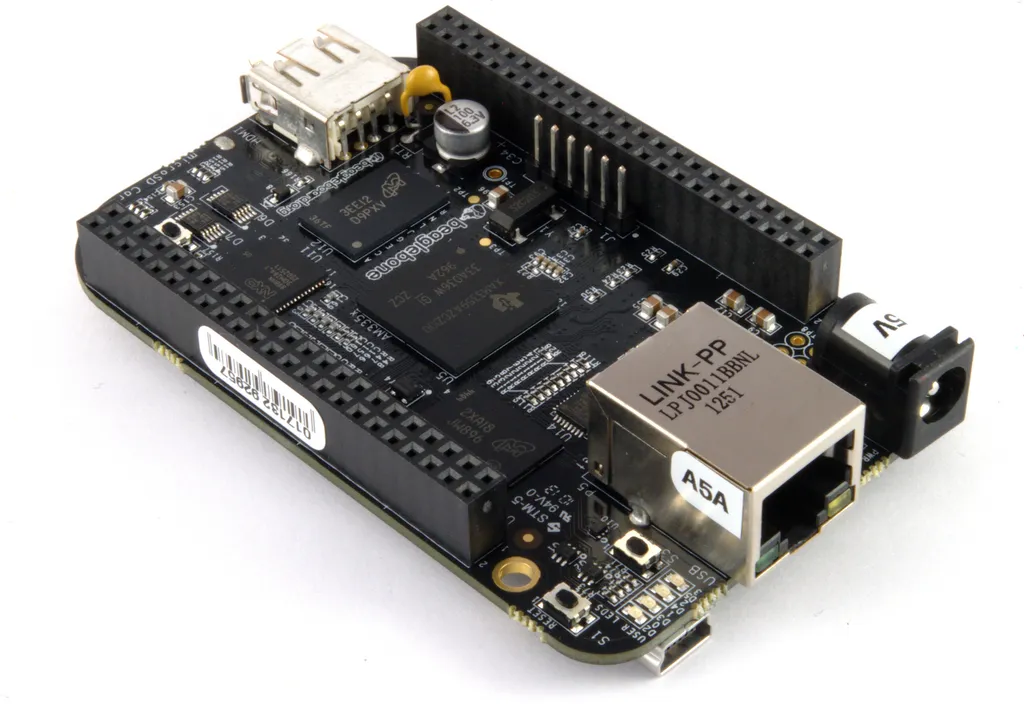
The hardware is based on the BeagleBone single-board computer and includes everything needed for high-quality shortwave reception:
- 14-bit Analogue-to-Digital Converter (ADC): Significantly better dynamic range than the 8 bits of an RTL-SDR — less overloading from strong signals and finer resolution of weak ones
- Xilinx Artix-7 FPGA: A powerful field-programmable gate array handles real-time signal processing, including DDC (Digital Down Converter) for four independent receive channels
- GPS receiver: An integrated GPS with its own antenna provides a precise time reference — essential for TDoA geolocation (more on that below)
- Frequency range: 10 kHz to 30 MHz — from very low frequencies through medium wave to the entire shortwave spectrum
- 4 simultaneous users: Each KiwiSDR can be used by four people at the same time, each on a different frequency
The entire receiver is operated through a web interface in the browser — no software installation required, no plugin, no Java. Simply enter the URL and listen.
The KiwiSDR Network: Around 860 Receivers Worldwide
The true strength of the KiwiSDR lies not in the individual device but in the network. At rx.kiwisdr.com you will find an interactive world map of every publicly accessible receiver. The map shows the location, current user count, antenna type and even the local noise level (SNR) of each receiver. If you prefer the list without the click-through gate, the independent map at rx.linkfanel.net shows the same data and adds WebSDR and OpenWebRX stations.
A click on any point opens the receiver directly in the browser. Within seconds you are listening to shortwave — from a flat in Tokyo, a farm in Argentina or a radio club in Sweden. This accessibility makes the KiwiSDR network one of the most democratic tools in amateur radio.
For DX enthusiasts, the network opens entirely new possibilities: check your own transmission from the other side of the world, observe propagation conditions in real time along different paths, or search for rare stations that are inaudible at your own location. Our article on DX operating covers more on this topic.
Features: Far More Than Just a Receiver
The KiwiSDR web interface offers an impressive range of functions that go well beyond simple listening:
Core features:
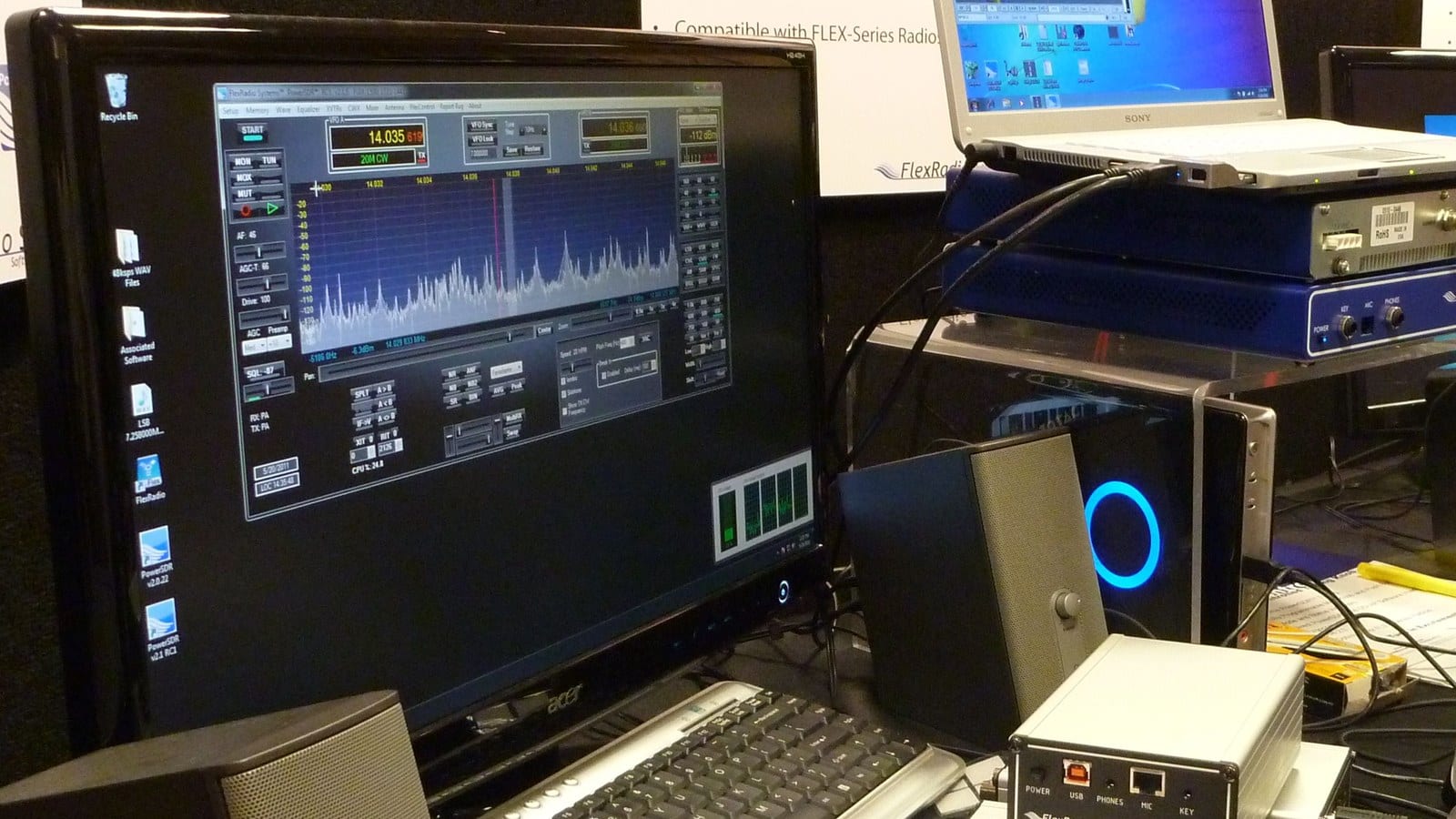
- Waterfall display: Colour real-time spectrum view with adjustable bandwidth and zoom — the entire HF spectrum from 0–30 MHz at a glance
- Demodulation modes: AM, SAM (synchronous AM), USB, LSB, CW, NFM, IQ and DRM
- Passband filters: Continuously adjustable filter bandwidth by mouse click — narrow for CW, wider for SSB or AM
- Frequency scale and band markers: Clear display of amateur radio bands, broadcast bands and utility frequencies
Built-in decoders:
- FT8 and WSPR: The most important digital modes are decoded directly in the browser — ideal for monitoring band activity. More on these modes in our articles on FT8 and WSPR
- CW decoder: Automatic Morse code recognition
- Weather fax (WEFAX): Reception and decoding of marine weather charts
- HFDL: Decoding of High Frequency Data Link — data communication between aircraft and ground stations over shortwave
- SSTV: Reception of Slow-Scan Television images
- STANAG, Navtex, FSK and more: Numerous utility decoders for maritime, aeronautical and military signals
TDoA Geolocation: The Killer Feature
The most unique function of the KiwiSDR network is Time Difference of Arrival (TDoA) geolocation. The principle is simple, the implementation brilliant: when a transmitter sends a signal, it arrives at different KiwiSDR receivers at slightly different times — depending on distance. Thanks to the GPS-synchronised time base of each KiwiSDR, the transmitter's location can be calculated from these time differences.
In practice it works as follows:
- Tune to a signal on one KiwiSDR (e.g. an unknown transmitter)
- Open the TDoA extension and select at least three additional KiwiSDR receivers
- The software calculates the probable location from the time-of-arrival differences
- The result is displayed as a heatmap on a world map
Accuracy depends on the number and geometric distribution of the receivers used — with good geometry, localisations to 10–50 km are achievable. Radio amateurs use TDoA to locate interfering signals, find pirate stations or simply determine the origin of a signal they have heard. Regulatory authorities also use the system.
KiwiSDR 2: The Next Generation
With the KiwiSDR 2, John Seamons did not present a redesign but deliberately cleared up the weak points of the first version. The board dimensions stayed identical; the changes are in the detail:
- Digital attenuator: 0 to 31.5 dB in 0.5 dB steps, software-controlled instead of hard-wired — the level can be matched to any antenna
- Surge protection at the antenna input: gas discharge tubes plus TVS diodes and 100 kΩ static drain resistors — on the predecessor this was the most common cause of failure
- Balanced antenna input via a balun transformer
- External ADC clock can be fed in through a third SMA connector, for instance from a GPSDO
- New GNSS chip (the old one was no longer available) and reverse polarity protection on the 5 V input
- BeagleBone Green in an aluminium enclosure, Debian 11 "Bullseye" pre-installed — the unit runs out of the box and fetches its first software update overnight between 01:00 and 05:00 local time
A common misconception: the KiwiSDR 2 does not sit on a BeagleBone AI-64 or any other high-performance board. It is still a BeagleBone Green — the heavy lifting is done by the FPGA.
Price and availability: From the factory the complete package (KiwiSDR 2 board, BeagleBone Green, aluminium enclosure, GPS antenna, self-test cable) costs NZD 665 at kiwisdr.nz, where it is regularly sold out between production runs. In the EU WiMo is the exclusive distributor and lists the kit at EUR 497 incl. VAT, which removes shipping from New Zealand, customs and import VAT, and puts you under EU warranty. Reviews have appeared in the trade press as well, among them QST in January 2026 and Radio World.
Setting Up Your Own KiwiSDR
Setting up a KiwiSDR is surprisingly straightforward — plug-and-play describes it quite well:
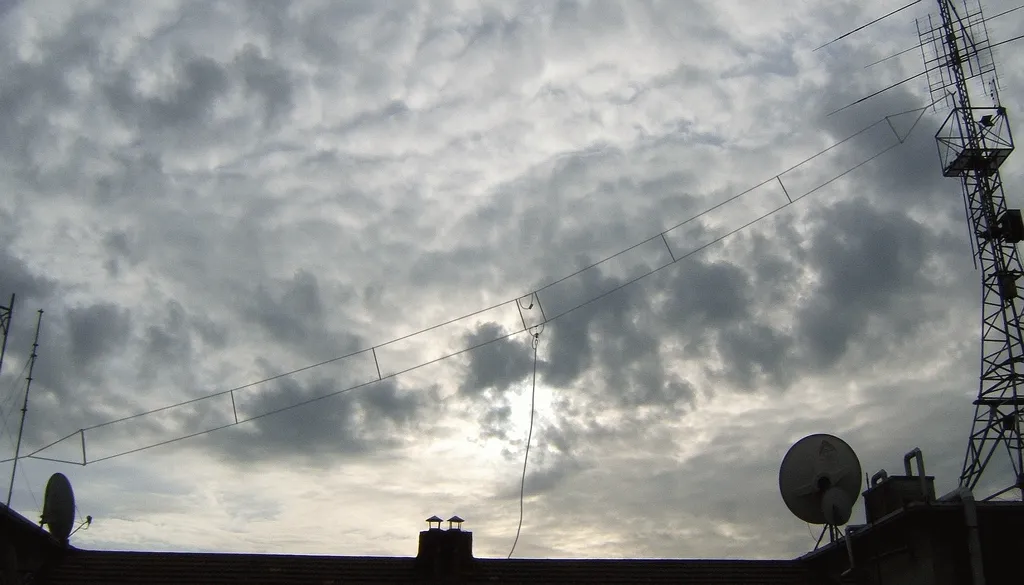
- Connect antenna: Any HF antenna with an SMA connector works. Ideally use a broadband antenna such as a T2FD, Mini Whip or long wire with balun. The better the antenna, the better the reception — the fundamentals from our SDR comparison apply here too
- Connect network: Plug in an Ethernet cable (no Wi-Fi — stability first)
- Place GPS antenna: The included GPS patch antenna needs a view of the sky — best on a windowsill or in the loft
- Power on: The device boots automatically and is reachable on the local network after 1–2 minutes
- Configure admin interface: Set location, frequency range, user limit and public visibility via the web interface
Particularly convenient: KiwiSDR offers an integrated proxy service. Every registered receiver automatically gets an address in the form 2xxxx.proxy.kiwisdr.com. This makes the receiver accessible worldwide without port forwarding on the router or a DynDNS service. Advanced users can of course also use their own domains or reverse proxies.
Use Cases: More Than Just Listening
The variety of use cases makes the KiwiSDR network so valuable:
DXing from remote locations: Why wait for greyline conditions at your own QTH when you can listen via a KiwiSDR in the right time zone? If you want to work a station in Central Africa, first open a KiwiSDR nearby to check the frequency and signal strength.
Real-time propagation monitoring: By opening multiple KiwiSDRs on the same frequency simultaneously, you can observe propagation along different paths. Which bands are open from Central Europe to North America? What about the long path to Oceania? The network answers these questions in seconds. The effects of Solar Cycle 25 on the bands can be impressively observed.
WSPR monitoring with WsprDaemon: The WsprDaemon project uses the KiwiSDR network systematically: multiple receivers simultaneously monitor the WSPR frequencies on all bands and feed the decoded spots into the global WSPR database. A single KiwiSDR can decode up to 14 WSPR bands in parallel.
Contest preparation: Before a contest, observe band openings from different locations and point your antenna towards the most promising directions.
Weather fax reception: Receive marine weather charts from coastal stations worldwide — DWD Hamburg, NOAA, JMH Tokyo and many more.
KiwiSDRs in Austria
On 27 August 2026 eight public KiwiSDRs were listed in Austria, from Vorarlberg to the Vienna basin:
- OE9NGH, Langenegg (Vorarlberg) — the westernmost site
- Kufstein / Niederndorferberg (Tyrol) at 950 m above sea level, operated as
rx1.radio101.de - OE5SLN, Mehrnbach (Upper Austria), eight user slots
- OE3AKB, Oberwölbling (Lower Austria)
- OE3GAS, Hollabrunn (Lower Austria) — good for reception from the east and south-east
- Berndorf (Lower Austria), reachable through the proxy service
- OE1XTU, Vienna — operated by the amateur radio club at Vienna University of Technology, 0–32 MHz
- 4U1A, Vienna — the club station at the Vienna International Centre, the UN complex
All eight can be found on rx.kiwisdr.com — simply zoom into Austria on the map. Availability varies, as almost all of them are run privately and voluntarily; the previously listed sites OE9 Radiohill Alberschwende and OE5GEL are currently no longer among them.
Comparison: KiwiSDR vs. OpenWebRX+ vs. WebSDR
KiwiSDR is not the only way to listen to shortwave over the internet. Here is a comparison of the three major web SDR platforms:
KiwiSDR:
- Dedicated hardware (BeagleBone + FPGA + 14-bit ADC)
- 10 kHz – 30 MHz, 4 simultaneous users
- GPS-synchronised, TDoA geolocation
- 858 public receivers (August 2026), built-in decoders (FT8, WSPR, CW, FAX)
- Price: ~395 USD (KiwiSDR 2 kit)
OpenWebRX+:
- Open-source software, runs on any SDR hardware (RTL-SDR, SDRplay, Airspy, HackRF)
- Frequency range depends on hardware — VHF/UHF also possible
- No GPS required, no TDoA capability
- More flexible through hardware choice, but more configuration effort
- Price: Only the SDR hardware (from ~30 EUR with RTL-SDR)
WebSDR (websdr.org):
- Proprietary software by PA3FWM, runs on Linux PCs with SoftRock or other hardware
- Often wideband multi-channel setups with high user counts (up to 600+)
- Best known: the University of Twente in the Netherlands
- No TDoA, no built-in decoders
- Price: Hardware varies, software free for non-commercial use
As a hardware alternative, the RX-888 (Web-888) has gained traction — a 16-bit direct-sampling receiver with 32 MHz bandwidth that can run OpenWebRX+. For pure HF use with the best overall package of hardware, software and network, the KiwiSDR remains the reference.
The 2021 Backdoor Incident
In the interest of transparency, an incident from 2021 should be mentioned: a hidden access mechanism was discovered in the KiwiSDR firmware that allowed the developer to access the admin interface of any KiwiSDR without the operator's knowledge. After the discovery the backdoor was completely removed in firmware version v1.461. John Seamons publicly apologised and explained that the access had originally been intended for support purposes.
No further security issues have been reported since then. The firmware is open source and available on GitHub, enabling independent review. Operators should nevertheless apply updates regularly and ideally run the KiwiSDR in a separate network segment (VLAN).
Practical Tips for Users and Operators
For users:
- Use rx.kiwisdr.com as your starting point and filter by continent, frequency range or antenna
- Pay attention to the S-meter and noise floor — a receiver with a -110 dBm noise floor is significantly better than one at -85 dBm
- Try the TDoA extension with known transmitters (e.g. time signal stations like DCF77 on 77.5 kHz) to get a feel for the accuracy
- Use the built-in FT8 decoder to quickly check band openings — if stations from a particular continent appear on 14.074 kHz, the band is worth exploring
For operators:
- Invest in a good antenna — the KiwiSDR is only as good as its antenna. A T2FD or Wellbrook loop delivers better results than a short wire
- Keep the firmware up to date — updates regularly bring new decoders and improvements
- Register your receiver on rx.kiwisdr.com to become part of the network
- Set up the GPS antenna correctly — it is a prerequisite for TDoA participation and improves frequency accuracy
Conclusion: The Window to Shortwave
KiwiSDR has changed the way radio amateurs and SWLs (shortwave listeners) interact with the HF spectrum. Whether you want to check propagation conditions before a contest, track a WSPR signal around the world or locate an unknown transmitter on shortwave — the KiwiSDR network makes it possible, instantly and free of charge.
To get started, all you need is a browser and the address rx.kiwisdr.com. If you want to run your own receiver and contribute to the network, the KiwiSDR 2 provides a mature package that can be up and running in minutes. A comparison with other SDR options can be found in our SDR receiver comparison 2026.
73 – your oeradio.at editorial team
Transparency Notice
Information as of 27 August 2026. Receiver counts, hardware split and the list of Austrian sites come from the public KiwiSDR directory (data timestamp 27 Aug 2026, 08:49 UTC); prices and specification from the manufacturer shop kiwisdr.nz and the EU distributor WiMo; the KiwiSDR 2 hardware changes from the project announcement. Since the receivers are mostly privately operated, the list changes constantly. The title picture shows a web SDR waterfall, photo: Evesiesta, CC BY-SA 4.0; further credits are given with the images. The embedded videos are third-party content; the respective channels are responsible for them. This article was researched and written with the assistance of AI (Claude, Anthropic) and reviewed by the oeradio.at editorial team. Corrections and missing sites are welcome at [email protected].