Table of Contents
- What can you do with it?
- Chat encrypted, even offline
- Messages that arrive even when you are offline
- Small web pages in the mesh: Nomad pages
- Sending files and pictures
- Voice calls and groups
- For tinkerers and nerds
- Building your own apps
- What is Reticulum, and what is an RNode?
- What you need
- Getting started in six steps
- 1. Prepare your computer
- 2. Flash the RNode
- 3. Optional: put the RNode on Wi-Fi
- 4. Configure Reticulum
- 5. Install Sideband
- 6. Test without radio first, then go on the air
- Consideration: we do not want to disturb MeshCore and Meshtastic
- The honest drawbacks
- Join in!
- Legal matters in brief
- More to watch and read
Imagine a network where you send encrypted messages, pictures and files, browse small web pages, even make voice calls, and all of that without a mobile network and without internet, using nothing but a 25-euro radio module with an antenna. That is the idea behind Reticulum. It is not just another LoRa chat network like MeshCore or Meshtastic, but a network stack: a foundation on which chat, file transfer, pages, voice and more are built, and which uses LoRa, Wi-Fi, internet tunnels and packet radio alike.
OE8YML is now experimenting with it. The first RNode is on the desk, Sideband is running, and we are testing step by step. This article is the guide for everyone who wants to join in. We will add measurements from Carinthia as soon as we have some. Everything we have not checked ourselves is marked as such in the text.
What can you do with it?
Reticulum is a toolkit. Here are the things that already work today, each with the way to get there. The program names come from the official software list. What we have tried ourselves is noted, the rest is according to the documentation.
Chat encrypted, even offline
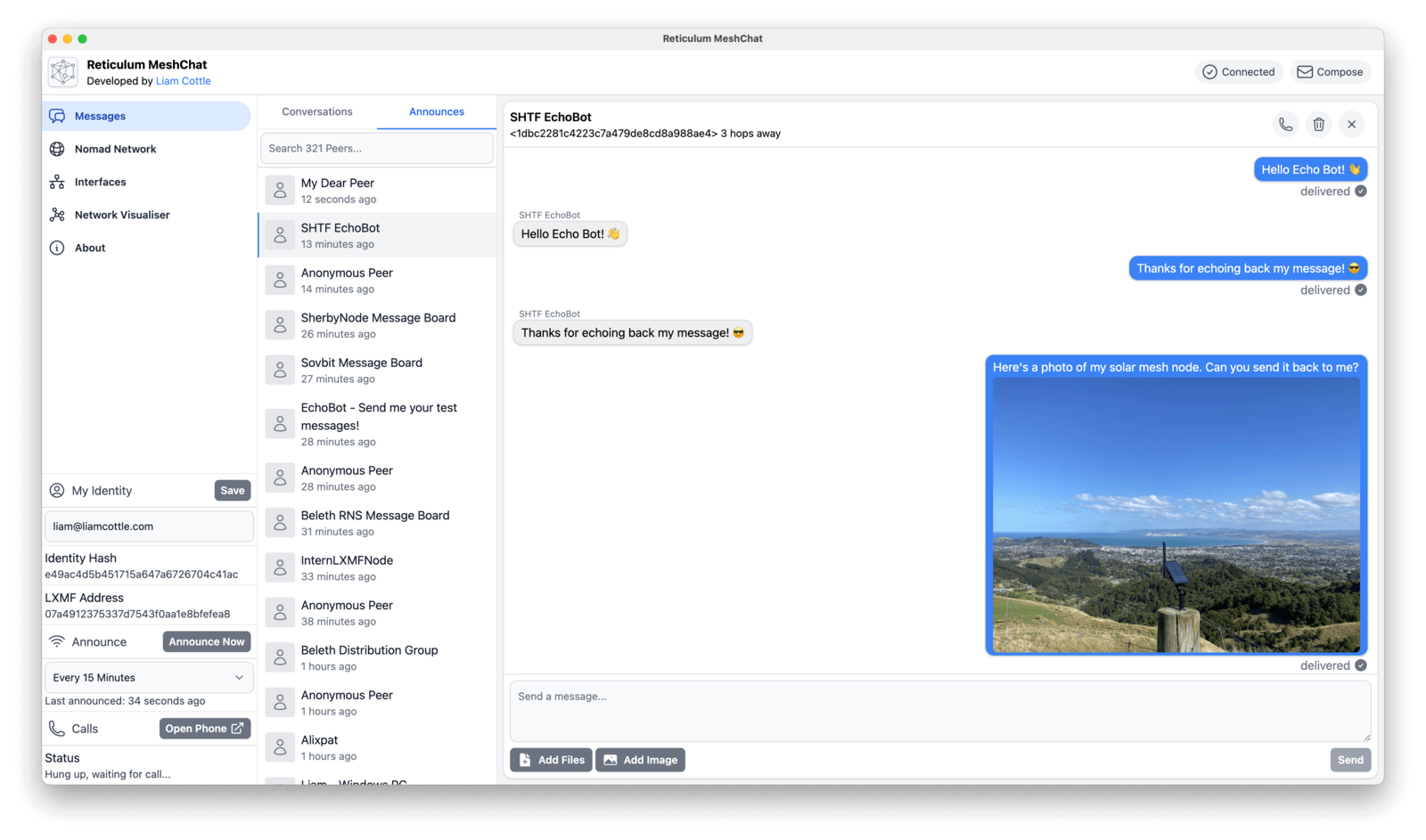
This is the entry point. Every participant gets an address (a cryptographic hash, like an email address without a provider). You give it to the person you want to talk to, and you can write to each other with end-to-end encryption, over LoRa, Wi-Fi or the internet. Programs for this:
- Sideband (Android, Linux, macOS, Windows): the standard client, with chat, attachments and voice.
- Columba (Android only): younger and fast-growing, with chat, calls, location and offline maps.
- Reticulum MeshChat (desktop, browser interface): for the desk.
- NomadNet (terminal): for everyone who prefers working in the console.
Getting started: install the program, show your address, exchange it with an acquaintance, send a message. The clients understand each other. We will add what the menus in Sideband are called exactly after our test.
Messages that arrive even when you are offline
If the other person is not reachable right now, a propagation node can store the message and deliver it later (store and forward). For this, the program lxmd, which comes with the Python package lxmf, runs on a computer or Raspberry Pi. According to the documentation, this is the way to "email in the mesh". We have not set it up yet.
Small web pages in the mesh: Nomad pages
With NomadNet you run a node that serves text pages (in a simple markup, Micron) that others can retrieve. This is a mini web that also works over pure LoRa links. Examples: a bulletin board for the local club, weather data, a wiki. If you want something spectacular, take a look at Retipedia, which makes Wikipedia content available over NomadNet. There is a video by Simon Phillips to watch:
Sending files and pictures
Sideband and MeshChat send attachments. For files on the command line there is rncp, the "Reticulum copy": send a file to an address, and on the other side an rncp in receive mode is waiting. rncp --help shows the exact syntax, we have not tested it yet. Over LoRa this is very slow: at 125 kHz bandwidth it is between about 0.3 and 5.5 kbit/s depending on the spreading factor (our own calculation). A full-size photo is better sent over Wi-Fi or an internet tunnel.
Voice calls and groups
The LXST project brings voice to the mesh. This includes rnphone (a phone for the console) and Partyline, a kind of group voice channel. Sideband, Columba and MeshChat show a phone section. For group chat there is RRC (Reticulum Relay Chat) with the hub rrcd. We have not checked how well voice works over narrowband LoRa. On Wi-Fi and internet links it is unproblematic.
For tinkerers and nerds
rnsh: an SSH-like remote shell for narrowband connections, so you can maintain a Raspberry Pi on a mountain. According to GitHub the project is archived, and we have not checked how it has since ended up in the core.rngit: Git over Reticulum, so code repositories in the mesh.- Bots with LXMFy: a framework for bots that reply to messages, according to the software list also with Home Assistant. Status queries for sensors or repeaters are conceivable.
- DIY nodes: µReticulum is a MicroPython variant for small boards like the RP2040 (compatible with the original according to its description).
- Bridges between radio islands: several LoRa networks can be connected via TCP, I2P or the internet. A link between Florida and Venezuela is known from the press (according to Notebookcheck, April 2026, we have not read the article ourselves).
- Packet radio and shortwave: Reticulum knows KISS and AX.25 interfaces. Hackaday reported in July 2026 about Reticulum on shortwave into a dummy load, because encryption is not allowed on amateur bands.
On the map rmap.world, 846 nodes were listed at the time of our research, 321 of them over LoRa. The map is voluntary and undercounts. We did not find a node in Austria or the DACH region there, but that only means we did not find any.
Building your own apps
The real appeal: Reticulum is a stack with a programming interface. Sideband, NomadNet and the other programs are just applications on top of it, and you can build your own without worrying about encryption, routing or radio hardware. According to the manual, the official Python interface offers these building blocks, among others:
- Identity and Destination: your identity and a destination that others can address. The address comes from these.
- Announce: make a destination known in the network, optionally with additional data.
- Link: an encrypted connection over which both sides exchange data.
- Requests and Responses: request and reply over a link, like a small web API.
- Channel and Buffer: structured messages and data streams between two participants.
- Resource: transfer larger amounts of data and files reliably. The "Filetransfer" example program shows a file server with a client.
The smallest example from the manual ("Minimal") starts Reticulum, creates an identity and a destination and sends an announce at the press of a key. The core looks like this:
reticulum = RNS.Reticulum(configpath)
identity = RNS.Identity()
destination = RNS.Destination(
    identity,
    RNS.Destination.IN,
    RNS.Destination.SINGLE,
    APP_NAME,
    "minimalsample"
)
destination.set_proof_strategy(RNS.Destination.PROVE_ALL)
The ready-made examples (Minimal, Announce, Echo, Link, Request, Channel, Buffer, Filetransfer) are available as individual files in the Examples/ folder of the Reticulum repo. We have not run them yet, the code example comes from the manual. A good start would be to launch Echo.py and test between two computers.
Ideas for radio amateurs:
- Status bot for a repeater, a weather station or a solar system that replies to messages ("Voltage?", "Temperature?"). Ready-made bot frameworks such as LXMFy exist for this too.
- Spot distributor for SOTA, POTA or DX cluster messages that sends short messages to subscribers in the mesh.
- Emergency radio report form: short, structured reports (location, situation, needs) to a control station, even when the mobile network and internet are down.
- Logbook or file sync between two stations over a link.
- Location sharing for groups in the field, similar to Meshtastic.
What to watch out for: An app that runs well over Wi-Fi can be unusable over LoRa. Plan with a few hundred bytes per message and calculate the airtime (at one percent duty cycle that is 36 seconds per hour). And the Reticulum license also applies to what you build on it: no use in systems that can specifically harm people, and no use for AI training. If you build an app, feel free to write to us, we will gladly present it here.
What is Reticulum, and what is an RNode?
Reticulum (RNS) is a network stack by Mark Qvist. The most important properties according to the manual:
- Always encrypted. Addresses are cryptographic hashes, and packets carry no sender address.
- Medium independent. The same network runs over LoRa, Wi-Fi, internet tunnels or cable.
- No central infrastructure. Anyone can run a node, but there is no server holding everything together.
- No finished device. The RNode is just a LoRa modem. The intelligence runs on a computer, Raspberry Pi or phone.
The current version is RNS 1.6.0 from 7 November 2026. A detailed introduction by the developer himself can be found at the end of the article as a talk from 38C3.
What you need
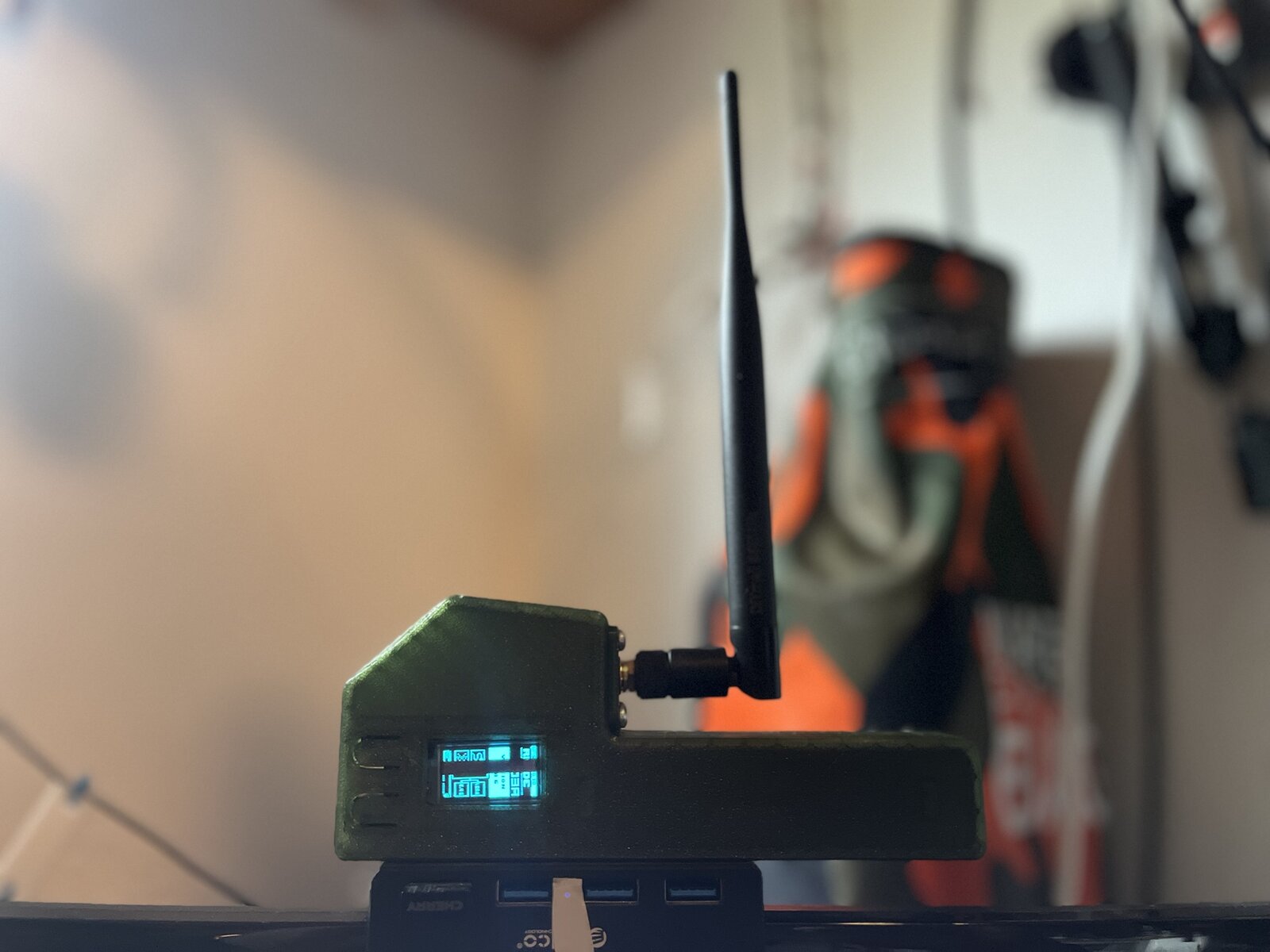
- A LoRa board in the right frequency variant. According to the RNode firmware, supported boards include Heltec V3, V4 and T114, LilyGO T-Beam, T-Deck and T-Echo, and RAK4631. A single price source (Metrum, September 2025) gives about 25 euros for the Heltec V3, 35 to 45 for the T-Beam and 55 to 70 for the T-Echo. We have not checked current prices at Austrian retailers.
- A suitable antenna. You do not transmit with a board that has no antenna, as this can damage the output stage.
- A computer or phone with a USB, Bluetooth or Wi-Fi connection to the board.
We test on 868 MHz. If you want to try the 433 MHz range, buy the 433 MHz variant of the board. More on this in the "Legal matters" section at the end.
Getting started in six steps
All commands come from the documentation (Reticulum manual) and from our own setup. Where we have not seen something ourselves, it says so.
1. Prepare your computer
Python 3 and pip are enough. Preferably in a virtual environment:
python3 -m venv ~/reticulum
~/reticulum/bin/pip install rns --upgrade
On Linux you also need access to the serial port (group dialout).
2. Flash the RNode
The official way is the tool rnodeconf from the Reticulum package:
~/reticulum/bin/rnodeconf --autoinstallIt asks for the board and band. Choose your board and the matching band (868/915 MHz). Afterwards you check with rnodeconf --info whether model, band and firmware are correct. As an alternative there is the web flasher by Liam Cottle in a Chromium browser. Known errors there are "Hardware Failure" and "Firmware Corrupt".
3. Optional: put the RNode on Wi-Fi
With rnodeconf -w STATION --ssid <Name> --psk <Password> the RNode connects to your Wi-Fi (from the help of rnodeconf in version 1.6.0). Then you no longer need a USB cable, and in the Reticulum configuration the port is tcp://<IP of the RNode>. With this command the password ends up on the command line and thus in your history, so better do not type it into a chat. Whether the RNode needs a restart afterwards and whether everything works on all boards, we have not yet conclusively checked.
4. Configure Reticulum
The configuration is in ~/.reticulum/config. We enter the radio interface, but first leave it at enabled = no:
[[RNode LoRa Interface]]
  type = RNodeInterface
  enabled = no
  port = /dev/ttyUSB0
  frequency = 869850000
  bandwidth = 125000
  txpower = 7
  spreadingfactor = 8
  codingrate = 5
  airtime_limit_long = 1
  airtime_limit_short = 33
frequency = 869850000is deliberately away from the MeshCore and Meshtastic frequencies, more on that in the next section. We do not use the example from the docs with 867.2 MHz.airtime_limit_long = 1limits transmit time to one percent. The docs example gives 1.5, which would be too much.txpowerdeliberately low. Whether the setting on the Heltec V4 describes the power at the chip or at the connector is open. Measure or read the datasheet before you increase it.
5. Install Sideband
Sideband is the standard client for chat (LXMF) on Android, Linux, macOS and Windows. According to the README the releases go through PyPI, and we installed it like this on Linux:
python3 -m venv ~/sideband/.venv
~/sideband/.venv/bin/pip install sbapp
~/sideband/.venv/bin/sideband
On first start on Arch Linux we were missing xclip and xrandr for clipboard and scaling, but it runs anyway. We have not tested it on Windows yet. According to our research Sideband cannot be found in the Play Store or on F-Droid, you download it from the project page.
6. Test without radio first, then go on the air
First you connect Sideband over the internet only (TCP gateway from the manual, you check the address and whether it is still running yourself). This is pure IP communication and legally uncritical, and you get to know the app. Only afterwards do you set enabled = yes on the RNodeInterface, start rnsd and check with rnstatus whether the interface appears with frequency and status. How exactly you add the RNode in Sideband under Hardware, we have not yet documented step by step. We will add that after our test. Until then the video above helps.
More setup videos by Simon Phillips (English, YouTube, not watched by us): Install and Configure Reticulum Network Stack RNS for RNode and Browse Reticulum Nomad Network Pages using LoRa Radio Link Only.
Consideration: we do not want to disturb MeshCore and Meshtastic
In Austria and Europe, MeshCore and Meshtastic run in the sub-band 869.4 to 869.65 MHz, according to search results with the EU standard at about 869.525 MHz and partly 250 kHz bandwidth. It is crowded there anyway, and in the Carinthian network (see MeshCore: Radio Without a Mobile Network) many nodes are on the air. The duty cycle only protects your own time budget, not against collisions. LoRa signals with the same bandwidth and the same spreading factor interfere strongly with each other. That is why we have these rules for the test:
- Not on the mesh frequencies. We test in the sub-band 869.7 to 870 MHz, for example on 869.850 MHz with 125 kHz bandwidth.
- Listen first, then transmit. With an SDR and OpenWebRX+ you can see what is going on on the band. How that works is described in Reading LoRa Mesh Packets with OpenWebRX+.
- No transport node with internet announces on the radio interface. Otherwise traffic from the internet flows permanently onto the radio link.
- Short tests, log your airtime. Whoever knows their airtime can also limit it.
- No repeaters or permanent stations as long as we do not know how the network behaves.
Whether this sub-band is really free in your region, we do not know. Everyone has to check that locally. And whether RNode and the neighboring networks use the same LoRa sync word, we have not checked.
The honest drawbacks
- Slow. At 125 kHz bandwidth and CR 4/5, our calculation gives about 5.5 kbit/s at SF7 and 0.29 kbit/s at SF12. An announce with 167 bytes takes about 0.6 seconds of airtime at SF8. At one percent duty cycle that allows only about 55 to 60 such packets per hour (our own calculation, we will measure).
- More complicated than MeshCore or Meshtastic. It is a network stack, not a device with a display. In return it can do more.
- Small user base in the German-speaking region, little German documentation. We want to change that with this article.
- License: Reticulum is under MIT plus two additional clauses (no use in systems that can specifically harm people, and no use for AI training). This is not an OSI-compliant open source license. For hobby radio operators this is practically uncritical, but it is not legal advice. Sideband is under CC BY-NC-SA 4.0.
- Development by one person. The GitHub repo is only a mirror. According to the developer's blog, funding full-time development was already an issue in May 2025, and at the end of December 2025 he shut down his website unsigned.io. According to PyPI, development continues (1.6.0 on 7 November 2026), but this is a risk for a larger network.
Join in!
A mesh lives from its nodes. OE8YML is now testing whether Reticulum on LoRa is sensibly usable in Austria, and for that we need you:
- Do you have a Heltec, T-Beam or RAK board? Flash it with the guide above and test along.
- Do you have an SDR? Look at what is going on at 869.7 to 870 MHz where you are, and tell us whether the band is free.
- Do you know Reticulum nodes in Austria? Then get in touch so we can start a list.
- Do you want to test links later? Write us your location (rough, the town is enough) and which hardware you have.
Write to us at [email protected] with location, hardware, frequency and, if you like, RSSI and SNR. As soon as we have enough feedback, we will publish the results and a list of locations. And once more the request: Be considerate of the existing mesh networks. Whoever listens before transmitting harms nobody.
Legal matters in brief
- Licence-free, without a call sign: We test on SRD frequencies (Short Range Devices) and not in amateur radio. The limits come from EU Decision 2022/180 (the Official Journal version, which the RTR also hosts), to which the Frequenznutzungsverordnung (Austrian frequency usage regulation) refers. Whether the later amended Decision 2025/105 changes anything, we have not read.
- 868 MHz: In the sub-band 869.7 to 870 MHz, 25 mW ERP at 1 % duty cycle is allowed (36 seconds of transmit time per hour), in 869.4 to 869.65 MHz 500 mW at 10 %. The antenna counts toward ERP. Hobby boards can do considerably more out of the box, so set the transmit power low on purpose.
- 70 cm as ISM band (433 MHz): In the range 433.05 to 434.79 MHz, 10 mW ERP at 10 % duty cycle is allowed. This is in the middle of the 70 cm amateur band, but whoever transmits there as an ISM device is not a radio amateur and does not need a call sign. Advantage: many boards are available as a 433 MHz variant, and propagation is a little better. Disadvantage: only 10 mW, and radio amateurs use the same frequencies too. We have not tested this ourselves.
- Not in amateur radio: Reticulum always encrypts. TKG 2021 § 147 requires "plain language" in amateur radio, and the Amateurfunkverordnung (Austrian amateur radio regulation, § 20 para. 5) prohibits equipment that restricts intelligibility. That is our reading, we do not have an official ruling from the authority. When in doubt, ask the RTR. This is not legal advice.
More to watch and read
A detailed introduction by the developer himself is available as a talk from 38C3 (December 2024, 43 minutes, license CC BY 4.0):
- MeshCore: Radio Without a Mobile Network
- MeshCom vs. Meshtastic
- Meshtastic in Practice
- Reading LoRa Mesh Packets with OpenWebRX+
- Reticulum manual
- RNode firmware on GitHub
73, Michael OE8YML