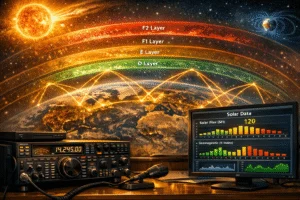
Anyone who wants to run FT8, JS8Call, WSPR, or Winlink in the field knows the problem: a laptop, a transceiver, and between them a tangle of cables — USB sound card, CAT cable, PTT adapter, and ferrite cores. Digirig Mobile solves this elegantly — everything in one enclosure smaller than a 9-volt battery.
What Is Digirig Mobile?
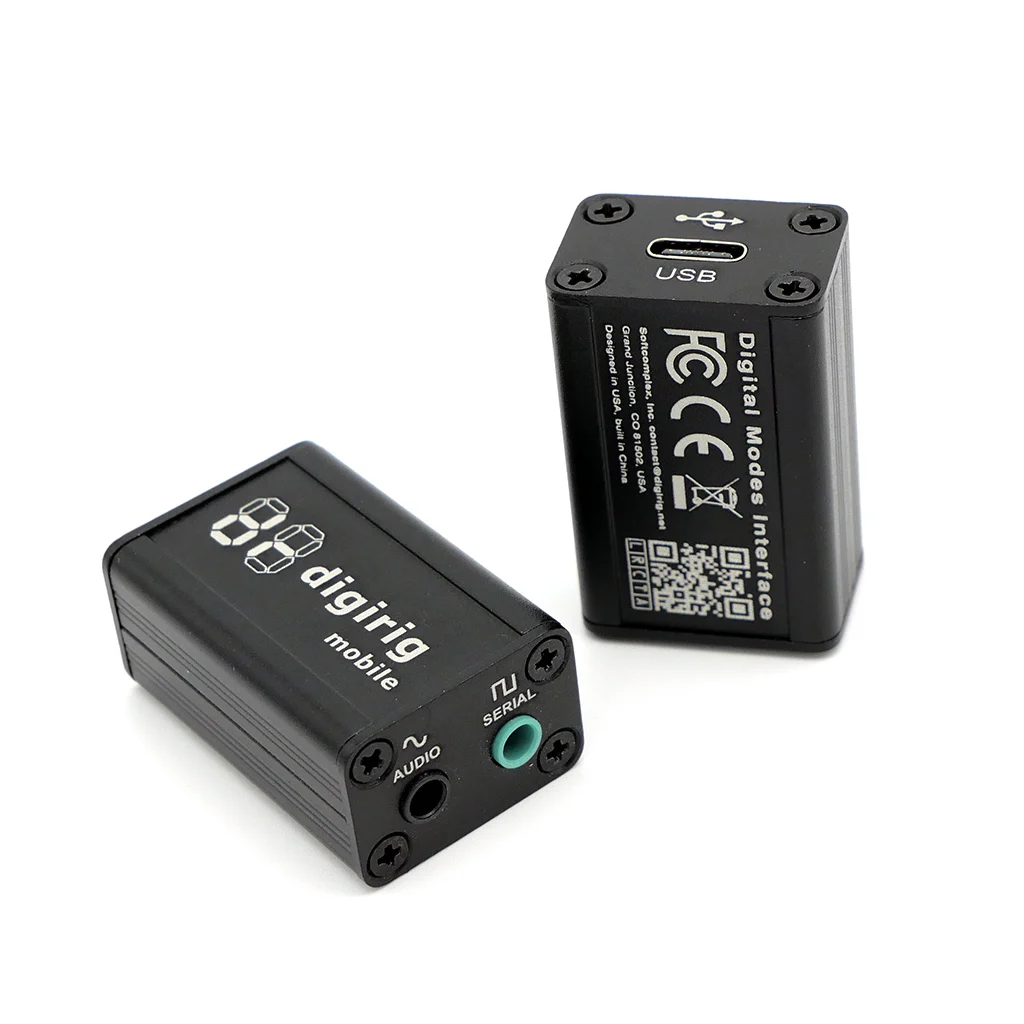
Digirig Mobile is an integrated digital modes interface for amateur radio, created by Denis Grisak, K0TX. It combines three functions in a tiny aluminium enclosure (approx. 38 × 25 × 25 mm, 1.5 × 1 × 1 in):
- USB sound card: CM108 chip, 44 kHz sample rate — appears as a standard audio device with no driver installation
- CAT interface: CP2102 USB-to-UART bridge for full transceiver control (frequency, mode, power)
- PTT control: Hardware PTT via RTS signal, plus CM108 GPIO3 or VOX
A single USB-C cable connects everything to the computer. Internally, the Digirig contains a USB hub that splits the connection into the sound card and serial port. On the radio side, two 3.5 mm TRRS jacks are used — one for audio, one for serial control.
In the following video, developer Denis Grisak (K0TX) presents the Digirig together with Tim Duffy (K3LR) of DX Engineering:
Why Digirig Instead of SignaLink?
The SignaLink USB from Tigertronics has been the standard for digital modes for years. But a direct comparison reveals clear differences:
- Size: Digirig approx. 38 × 25 mm vs. SignaLink ~140 × 100 × 35 mm — dramatically smaller
- CAT control: Digirig has full CAT support; SignaLink has none — a separate cable is needed
- PTT: Digirig uses CAT, RTS, or GPIO3; SignaLink only VOX with a delay knob
- Price: Digirig ~$50 vs. SignaLink ~$120
- Open source: Digirig hardware published on GitHub (KiCad format)
The one area where SignaLink scores: built-in audio transformers against ground loops. For Digirig, a USB isolator (~$20) helps if needed.
Compatible Radios
Digirig works with virtually any transceiver capable of sending and receiving audio. The official compatibility list covers hundreds of models:
- Yaesu: FT-817/818, FT-857D, FT-891, FT-991A, FT-710, FTDX10
- Icom: IC-705, IC-7000, IC-7100, IC-7300, IC-7610, IC-9700
- Kenwood: TS-480, TS-590, TS-2000
- Elecraft: KX2, KX3, K2, K3 — the ideal QRP partners
- Xiegu: G90, G106, X5105, X6100
- Others: Lab599 TX-500, AnyTone DMR radios, Baofeng HTs, and more
Ready-made cables or pinout diagrams for DIY builds are available for each radio. A cable typically costs $10–20.
Digital Modes with Digirig
- FT8/FT4 (WSJT-X): The primary use case. Select CM108 as audio device and CP2102 as COM port in WSJT-X, configure CAT — done.
- WSPR: Identical setup to FT8. Reliable CAT-based PTT avoids VOX timing issues during long WSPR cycles.
- JS8Call: Keyboard-to-keyboard communication — JS8Call controls frequency and mode automatically via CAT.
- Winlink: Works with Winlink Express using VARA HF/FM as the modem. Digirig handles audio and PTT.
- APRS: Via Direwolf or other APRS software. Digirig provides the audio interface and PTT keying for packet radio.
Supported operating systems: Windows, macOS, Linux (including Raspberry Pi), Android via USB OTG.
This step-by-step guide shows the setup in practice — FT8 in WSJT-X with a Yaesu FT-817/818:
The Digirig Product Family
- Digirig Mobile (~$50): The flagship — audio + CAT + PTT in an aluminium enclosure
- Digirig Lite (~$40): Audio + PTT only, no serial port — ideal for simple handheld radios
- Digirig DR-891 (~$80): Purpose-built for the Yaesu FT-891, with USB passthrough
Portable Operation: Digirig + SOTA/POTA
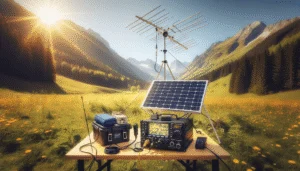
For SOTA and POTA activations, the Digirig is a game changer. A typical portable station consists of:
- QRP transceiver (e.g. Elecraft KX2, Xiegu G90, or Yaesu FT-818)
- Digirig Mobile + radio-specific cable
- Smartphone or tablet with USB OTG (or a small laptop)
- Portable antenna (EFHW, wire dipole, or telescopic mast)
- Battery pack — the Digirig itself draws minimal power
This entire digital station fits in a small backpack and weighs under 2 kg. Many POTA activators report using their Digirig setup weekly — reliably and trouble-free.
Getting Started Tips
- Cable first: Order or build the radio-specific cable — the Digirig is useless without one
- Test levels: Adjust audio levels on the computer — too high distorts, too low gets lost
- CAT baud rate: Must match between radio and software (usually 9600 or 38400)
- USB isolator: A cheap USB isolator helps with ground loops
- Use the forum: The Digirig forum (forum.digirig.net) has setup guides for every radio + software combination
For about $60–70 (interface + cable), you get a fully-featured digital interface smaller than a matchbox. Open source, driverless, and proven in the portable community for years.
73 – your oeradio.at editorial team
Transparency Notice
This article was researched and written with the assistance of AI (Claude, Anthropic). The editorial team has reviewed and edited all content. Despite careful review, occasional inaccuracies may occur — we welcome corrections via email to [email protected].