Table of Contents
- What is FT8?
- How does FT8 work technically?
- The physics behind the 77 bits
- Time synchronisation: why every second counts
- FT8 frequencies: where to operate
- What do I need to get started?
- Setting up WSJT-X: step by step
- Your first CQ call
- Learning to read the waterfall
- FT8 and logging
- PSK Reporter: the map of your signals
- FT8 with QRP: 5 watts around the world
- FT2: the fast sibling of FT8
- Criticism of FT8 — and why it has merit
- Related modes in WSJT-X
- Alternative software
- Practical tips
- Further reading
- Transparency Notice
Anyone who has watched the 20-metre band in recent years knows the phenomenon: between 14.074 and 14.076 MHz, there is activity around the clock — not in Morse code, not in voice, but in short, computer-generated signal bursts. That is FT8, and this operating mode has fundamentally changed amateur radio.
What is FT8?
FT8 stands for “Franke-Taylor 8-FSK” and was developed in 2017 by Joe Taylor (K1JT) and Steve Franke (K9AN). Taylor is a Nobel laureate in physics — his passion for weak signals has led to an entire family of digital modes, including JT65, JT9, and FT8 itself.
What makes FT8 special is that it works with extremely weak signals, far below the audible threshold. Where an SSB QSO requires at least an S3 signal, FT8 can still decode signals that are 20 dB below the noise floor. This makes contacts possible that would simply be unthinkable with conventional modes.
In this video, Professor Joe Taylor (K1JT) himself explains the origins and workings of FT8:
How does FT8 work technically?
FT8 uses 8-tone frequency-shift keying (8-FSK) and transmits messages in precisely 12.6-second time slots. Each message contains a maximum of 77 bits of usable information — enough for callsigns, signal report, and grid locator, but nothing more. A complete QSO typically takes 75 seconds and follows a fixed protocol:
- Station A calls CQ with callsign and locator
- Station B responds with both callsigns and signal report
- Station A confirms with its report
- Station B sends RR73 (Roger, 73)
- Station A confirms with 73
The physics behind the 77 bits
The 77-bit payload is expanded to 174 channel symbols using a Low-Density Parity-Check (LDPC) code — an error correction method also used in 5G mobile networks and WiFi 6. These 174 symbols are transmitted as 79 tones, each with a bandwidth of 6.25 Hz. The total signal bandwidth is just 50 Hz — which means up to 20 FT8 signals can fit simultaneously within a single kHz of bandwidth.
The sensitivity threshold is -21 dB signal-to-noise ratio in a 2500 Hz bandwidth. For comparison: SSB requires about +3 dB, CW about -15 dB. FT8 can therefore hear signals that even a skilled CW operator would no longer perceive.
Time synchronisation: why every second counts
Time synchronisation is critical: your PC clock must be accurate to within ±1 second. NTP services or GPS synchronisation take care of this. If the time is wrong, no decoding will occur. The 15-second time slots begin precisely at :00, :15, :30, and :45 of each minute — “even” periods (0, 30) and “odd” periods (15, 45) alternate. Station A transmits in even periods, Station B in odd ones.
On Windows, the built-in time synchronisation is often not accurate enough. Programs like “Meinberg NTP” or “Dimension 4” help. On Linux, systemd-timesyncd or chrony is usually sufficient.
FT8 frequencies: where to operate
FT8 frequencies are standardised and pre-programmed in WSJT-X:
| Band | Frequency (MHz) | Typical usage |
|---|---|---|
| 160 m | 1.840 | Night-time, regional to intercontinental |
| 80 m | 3.573 | Evenings/nights, across Europe |
| 60 m | 5.357 | Only permitted in some countries |
| 40 m | 7.074 | Evenings/nights, intercontinental |
| 30 m | 10.136 | 24h, good DX conditions |
| 20 m | 14.074 | Daytime, DX band No. 1 |
| 17 m | 18.100 | WARC band, less activity |
| 15 m | 21.074 | Good conditions, DX |
| 12 m | 24.915 | WARC band, sporadic |
| 10 m | 28.074 | Sporadic-E, F2 propagation |
| 6 m | 50.313 | Sporadic-E season (May–August) |
| 2 m | 144.174 | Tropo, MS, EME |
What do I need to get started?
The good news: getting started with FT8 is neither expensive nor complicated. You need:
- An HF transceiver — any common radio from Yaesu, Icom, Kenwood, or Elecraft will do. Even 5 watts can produce impressive results.
- An audio interface — connects the transceiver to the computer. Popular choices include SignaLink USB, Digirig Mobile, or the built-in USB sound card of many modern transceivers (Icom IC-7300, Yaesu FT-991A, etc.).
- A computer — Windows, macOS, or Linux, anything works. Even a Raspberry Pi 4 is sufficient.
- WSJT-X — the free software by K1JT that includes all FT8 functions. Download at wsjt.sourceforge.io.
- An antenna — even a simple wire dipole delivers astonishing results. FT8 is extremely efficient.
Setting up WSJT-X: step by step
This video shows a complete WSJT-X setup for beginners:
After installing WSJT-X, a few settings are required:
1. Enter your callsign and locator: Under “File → Settings → General”, enter your callsign and Maidenhead grid locator. You can find your locator using various online calculators or apps.
2. Audio settings: Under “Audio”, select the sound card or interface — for both input (from the transceiver) and output (to the transceiver). With modern transceivers featuring USB audio (e.g., IC-7300), the device appears directly as a sound card.
3. CAT control: Under “Radio”, select your transceiver type and configure the serial port. This allows WSJT-X to control the frequency and switch between transmit and receive (PTT).
4. Frequencies: WSJT-X already knows the standard FT8 frequencies. Simply click the desired band button.
5. Set transmit power: Adjust the “Pwr” slider in WSJT-X so that the ALC meter on the transceiver barely moves — not at maximum! Overdriving creates splatter and intermodulation products that interfere with other stations.
Your first CQ call
First, spend a few minutes just listening and observing the waterfall display. Decoded messages appear in the main window. Once you can see that stations are being decoded successfully, you can launch your first CQ call.
Important: keep the transmit power moderate. Running FT8 at 100 watts is massive overkill in most cases. 20–30 watts are sufficient for worldwide contacts, and 5 watts often enough for contacts within Europe.
Learning to read the waterfall
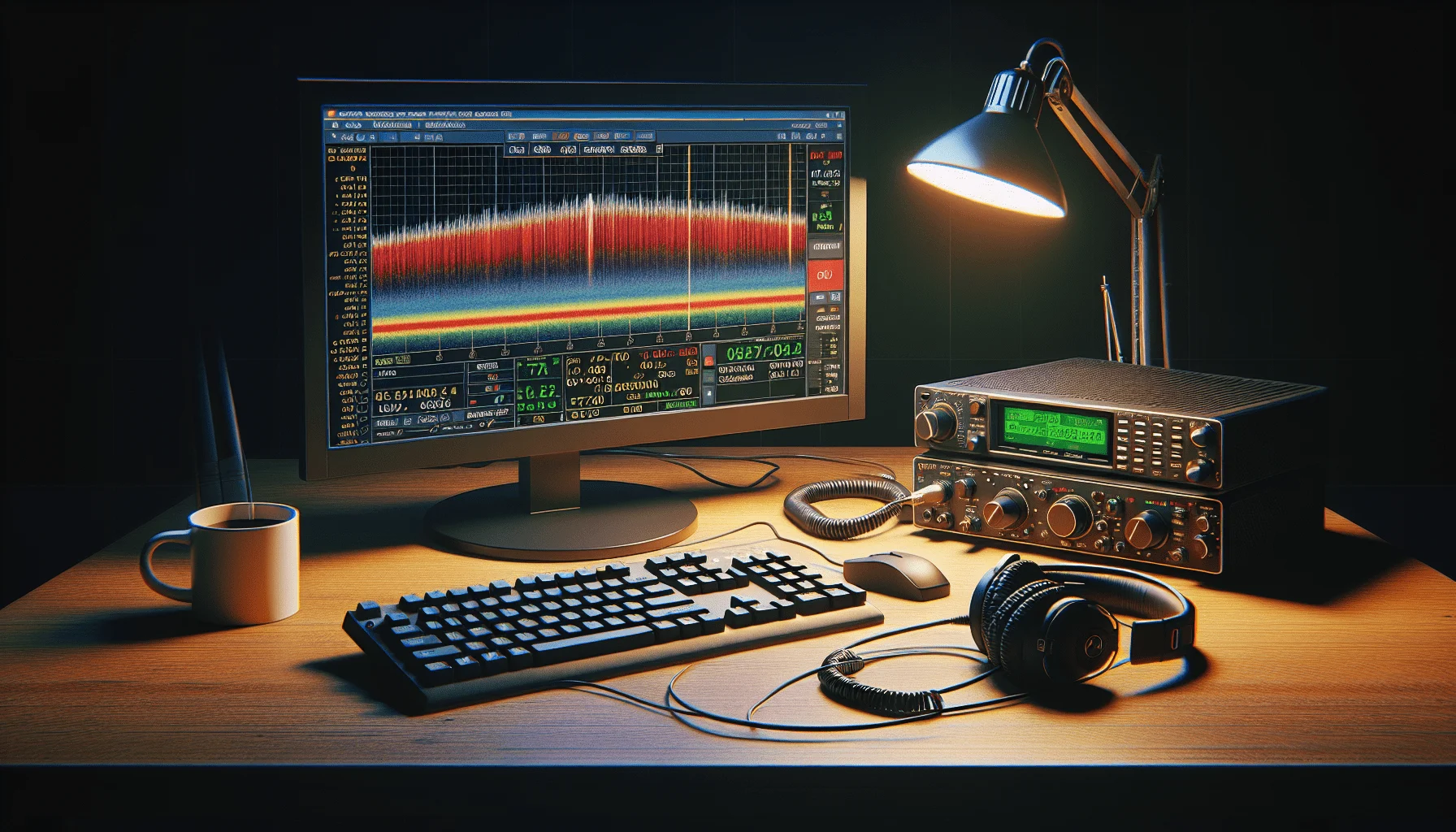
The waterfall display (Wide Graph) is the heart of WSJT-X. Each FT8 signal appears as a narrow, bright trace. A signal is only 50 Hz wide — much narrower than a CW signal. On the waterfall, you can instantly identify:
- Strong signals — bright, vivid colours
- Weak signals — barely visible, yet still decoded
- Overdriven signals — broad, ragged traces (= too much power or ALC)
- Interference — horizontal lines (QRM) or broadband noise
FT8 and logging
WSJT-X has a built-in logging function and can pass QSOs directly to logging programs such as Log4OM, DXKeeper, or Wavelog. Direct uploads to LoTW (Logbook of The World), eQSL, or ClubLog are also possible. For award chasers, this is particularly convenient: FT8 QSOs count towards DXCC, WAZ, and most other awards.
PSK Reporter: the map of your signals
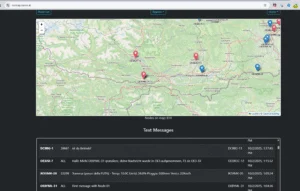
A fascinating tool for FT8 users is PSK Reporter. There, you can see in real time where your signal is being received around the world. Even with just 5 watts and a wire dipole, you will often see reception reports from South America, Japan, or Australia. This is not only impressive but also an excellent tool for antenna comparisons and propagation studies.
PSK Reporter automatically collects data from all WSJT-X stations worldwide that have the “PSK Reporter Spotting” feature enabled (on by default). You do not need to do anything — your reception reports flow in automatically.
FT8 with QRP: 5 watts around the world
FT8 truly shines with QRP — low transmit power. With just 5 watts and a simple dipole, intercontinental contacts are an everyday occurrence. This makes FT8 ideal for:
- Portable operation — a small rig, a battery, a laptop, and a wire antenna are all you need
- SOTA/POTA activations — FT8 delivers four QSOs for an activation with minimal effort
- Balcony operation — where a large antenna is not possible, FT8 compensates for antenna gain through signal processing
- Antenna experiments — via PSK Reporter, you can directly compare different antennas
For the ultimate guide on what a complete FT8 session looks like — from setup to finished QSO — we recommend this detailed tutorial:
FT2: the fast sibling of FT8
If you know FT8, you should also know FT2 — its fast sibling. FT2 was also developed by Joe Taylor and Steve Franke and is specifically optimised for VHF/UHF operation.
The key differences from FT8:
| Property | FT8 | FT2 |
|---|---|---|
| Time slot | 15 seconds | 3.7 seconds |
| QSO duration | ~75 seconds | ~15 seconds |
| Sensitivity | -21 dB | -17 dB |
| Bandwidth | 50 Hz | 50 Hz |
| Primary use | HF (shortwave) | VHF/UHF |
| Ideal for | DX, weak signals | Fast QSOs, contests |
FT2 requires stronger signals than FT8 (-17 dB instead of -21 dB) but is four times faster. On VHF/UHF, where signals tend to be stronger than on HF, this is an ideal trade-off. FT2 is perfect for fleeting tropo openings where every second counts.
More on FT2 and other WSJT-X modes in our detailed article: FT2 and WSJT-X Modes: Weak Signals on VHF/UHF
Criticism of FT8 — and why it has merit
FT8 is not without controversy. Critics point out:
- No real communication — an FT8 QSO only exchanges callsigns and signal strength. No ragchew, no personal conversation, no information exchange beyond those 77 bits.
- “Computers talking to each other” — automation has progressed so far that some stations run in fully automatic mode. Is that still amateur radio?
- Emptying other bands — traditional CW and SSB frequencies have become quieter since FT8 draws so many operators away.
- DXCC inflation — entities that were once real challenges are suddenly easy to reach with FT8.
This criticism has merit. FT8 is not a replacement for a longer QSO on 40 metres in SSB or a CW round table. But it is a powerful tool for testing propagation conditions, working new DXCC entities, or achieving impressive results with minimal equipment. The various operating modes complement each other — they do not compete. If you are looking for conversation, try RTTY, PSK31, or Olivia.
Related modes in WSJT-X
In addition to FT8, WSJT-X contains an entire family of related modes:
- FT2: 4x faster than FT8, optimised for VHF/UHF and brief openings.
- FT4: Faster than FT8 with 7.5-second intervals. Developed for contests and Field Days.
- JT65: The predecessor, even more sensitive (-25 dB) but much slower (60-second intervals). Used for EME (Earth-Moon-Earth).
- JT9: Similar to JT65 but narrower bandwidth. Good for crowded bands.
- MSK144: Optimised for meteor scatter — reflections from meteor trails in the ionosphere.
- Q65: For the weakest signals on VHF/UHF, such as troposcatter or EME.
- FST4/FST4W: Ultra-slow (up to 1800 seconds), for LF/MF bands (2200 m, 630 m).
All of these modes are included in WSJT-X and can be used with the same setup. Described in detail in: FT2 and WSJT-X Modes
Alternative software
Besides WSJT-X, there are alternative programs for FT8:
- JTDX — a fork of WSJT-X with enhanced decoding, preferred by DXers for its higher decode rate on weak signals.
- JS8Call — based on FT8 technology but allows free-form text messaging. Essentially “chat over FT8” — for anyone who has more than 77 bits to say.
- GridTracker — map display of all decoded stations, ideal as a companion to WSJT-X.
- MSHV — multi-decoder that receives FT8 signals on multiple frequencies simultaneously.
Practical tips
- Reduce power: Less is more. 10–25 watts are almost always enough. Try 5 watts — you will be surprised.
- Check time synchronisation: If decoding suddenly stops, the clock is often off. The DT value in WSJT-X shows the time difference.
- Watch the waterfall: Signal quality is visible in the waterfall — messy signals indicate overdriving.
- Fox/Hound mode: DXpeditions use the special Fox/Hound mode, which allows multiple simultaneous QSOs. Activate it in WSJT-X under “Special Operating Activity”.
- Patience: Not every CQ call gets an immediate answer. Propagation conditions determine success.
- Try multiple bands: If 20 m is dead, 15 m or 10 m might be open. HF propagation changes constantly.
- Split operation for DX: Rare stations often work in split mode — your transmit frequency differs from the receive frequency. WSJT-X handles this automatically.
Further reading
- WSJT-X download and documentation
- PSK Reporter — real-time signal map
- FT8 Operating Guide by G4IFB (PDF) — the essential guide for FT8 DXers
- FT2 — The New High-Speed Digital Mode
- FT2 and WSJT-X Modes: Weak Signals on VHF/UHF
- RTTY, PSK31, and Olivia: Classic Data Modes
- Digirig Mobile: The Compact Digital Interface
- Wavelog: The Modern Web Logbook
FT8 has made amateur radio more accessible for many people. With low power, a modest antenna, and a laptop, you can make contacts that would have been unthinkable ten years ago. Anyone who gives it a try will quickly understand why this mode has become so popular.
73 – your oeradio.at editorial team
Transparency Notice
This article was researched and written with the assistance of AI (Claude, Anthropic). The editorial team has reviewed and edited all content. Despite careful review, occasional inaccuracies may be present — we welcome corrections via email to [email protected].