In 2026 VARA is the fastest software-based HF data modem and forms the backbone of the worldwide Winlink network — at the same time it is the foundation for the popular keyboard chat VarAC. This article explains how VARA HF and VARA FM work, how they interact with Winlink and VarAC, what role they play in emergency communications, and where VARA sits alongside Pactor and ARDOP.
What is VARA?
VARA was developed by the Spanish radio amateur José Alberto Nieto Ros, EA5HVK, and is an adaptive software modem: it continuously adjusts its transmission speed to the current band conditions. On shortwave it reaches up to 8000 bit/s under ideal conditions; that, however, is the best case with a wide licence and a top-quality signal — in everyday use 2000 to 4000 bit/s is more realistic, which is still many times what older methods can achieve.
VARA comes in three flavours. VARA HF is designed for shortwave and covers the range from 1.8 to 30 MHz. VARA FM is optimised for FM operation on VHF and UHF, that is for the 2-metre and 70-centimetre bands. In addition, VARA SAT is a variant tailored for satellite links, with which, for example, the geostationary amateur radio satellite QO-100 (Es'hail-2) can be used for data connections.
VARA and Winlink
Winlink is a global, radio-based email system that plays a major role above all in emergency communications: it carries emails including attachments over radio, even when the internet and mobile networks have failed. VARA is the preferred modem here because it builds connections particularly quickly and reliably.
The signal path is quickly explained: you write your message in the Winlink Express program, which hands it over to the VARA modem, which turns the data into tones and transmits them via the transceiver. On the receiving end, a so-called RMS (Radio Message Server) accepts the message and forwards it into the regular email network. Because VARA is many times faster than older modems such as Pactor or ARDOP, even emails with attachments are transferred in minutes instead of hours.
Winlink has two modes of operation: the route via an RMS gateway, which feeds the message into the internet, and the direct station-to-station connection — the so-called peer-to-peer connection (P2P). The P2P variant in particular is valuable in emergency communications, because it works even when no gateway is reachable at all: two stations then exchange their messages directly with one another.
More than Winlink: VarAC and the keyboard chat
VARA is by no means only there for Winlink. The free Windows application VarAC (developed by Irad Deutsch, 4Z1AC) has grown into one of the most popular operating modes on shortwave — with more than 90,000 users in over 100 countries. VarAC uses the VARA modem for a real-time keyboard chat from radio amateur to radio amateur: you call CQ, connect directly to a counterpart station and type in real time — error-corrected and acknowledged, so practically loss-free.
Beyond the plain chat, short messages (so-called vMails), files and even images can be transferred. Unlike fully automatic FT8, which only exchanges terse reports, real conversations are possible here. Popular calling frequencies are 14.105 MHz on the 20-metre band and 7.105 MHz on the 40-metre band — though you should keep an eye on the band plan, since these channels sit close to the phone segments and the exact calling frequencies can change. For many, VarAC is today the real reason to get involved with VARA at all.
Setting up VARA
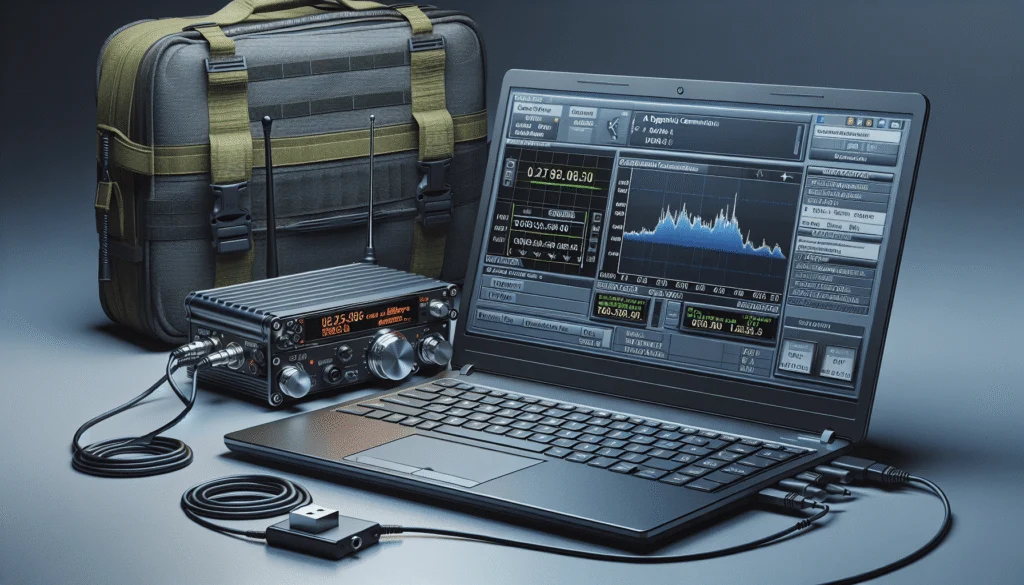
To get started you need three things. You download the VARA HF modem itself from the developer's site, rosmodem.wordpress.com; depending on the application, Winlink Express or VarAC serves as the client. As the link between the radio and the computer, a sound-card solution is used — interfaces such as SignaLink USB, DigiRig or RigBlaster are common, and at a pinch the internal sound card will do as well. Transmit switching (PTT) is handled, depending on the equipment, via CAT commands, a serial line (RTS/DTR) or VOX.
Setting it all up is quick: you connect VARA to the sound card, enable CAT control for the transceiver, and configure the client to use VARA as its modem. A word on the platform: VARA is a Windows program. Under Linux or macOS it runs via the Wine compatibility layer — this works in practice, but takes a little setting up. The specific steps are shown clearly in the videos below.
The License Model
With the licence model you need to distinguish two cases. VARA HF is commercial software; the full version costs around 69 euros as a one-time licence and unlocks the wider 2300 Hz modes and thus the full speed. There is also a free edition, but it is limited to 500 Hz of bandwidth and is therefore noticeably slower. VARA FM, on the other hand, can be used free of charge in amateur radio. It is also worth mentioning: VARA is proprietary software from a single developer, with no open source code — a point that some view critically in the experiment-friendly spirit of amateur radio. Anyone who deliberately wants to work with open source will find a free alternative in ARDOP.
Placing VARA: VARA, Pactor and ARDOP
VARA is not the only method for HF data, but the one with the best price-performance ratio. For years Pactor with dedicated SCS hardware modems was the standard for robust connections — powerful, but expensive, because the modem costs several hundred euros. As pure software, VARA achieves comparable data rates and has therefore largely displaced Pactor in amateur radio. In fairness it should be said: under truly poor propagation conditions Pactor 4 is still somewhat more robust, while VARA has the edge when the signal-to-noise ratio is good.
Anyone who wants to avoid the licence costs entirely, or deliberately prefers open-source software, will find a free alternative in ARDOP (Amateur Radio Digital Open Protocol). ARDOP is indeed slower — more than about 2400 bit/s is not possible — but it is free and open, and it runs with the same Winlink Express as client. An actively maintained implementation is ardopcf. For many standard tasks ARDOP is entirely sufficient; wherever every second counts, however, VARA remains the faster choice.
Emergency Communications and VARA in Austria
In Austria, too, emergency communications groups are increasingly relying on VARA to build Winlink connections. The appeal is obvious: data transfer remains stable even under poor propagation conditions, because VARA works with robust error correction. Winlink activity on shortwave concentrates, among other places, around 3590 to 3600 kHz in the 80-metre band as well as 7100 to 7125 kHz in the 40-metre band.
For all the enthusiasm, one thing should not be forgotten: VARA needs a Windows computer plus a power supply. In a real blackout that means also planning a backup-power solution for the laptop and interface — otherwise even the fastest modem is of little use. Anyone relying on VARA for emergency communications is best advised to plan power, antenna and a well-rehearsed setup in advance.
Videos: VARA, Winlink and VarAC in practice
Four tutorials take you from installation through the first Winlink email to the VarAC chat:
Further Resources
- EA5HVK – VARA Modem — download of VARA HF, VARA FM and VARA SAT
- VarAC — free app for VARA keyboard chat and P2P connections
- Winlink Global Radio Email — Winlink Express, network info and frequencies
- Winlink Quick Start — step-by-step introduction for radio amateurs
- ardopcf — the free open-source alternative ARDOP
73 – the oeradio.at team
Transparency Notice
This article was researched and written with the support of AI (Claude, Anthropic). The content was reviewed by the oeradio.at editorial team and prepared for the Austrian amateur radio community.