The most important thing first: hl2remote is still in testing. It is a DIY project around the Hermes Lite 2 (HL2) that I am setting up as an open effort for the community. Receiving with a real HL2 works. We are currently testing transmitting through the whole stack and the workflows for multiple users. If you want to tinker along, you are welcome. If you are looking for a finished solution, it is still too early.
What this is about
A good radio station is often not where the operator happens to be sitting: a quiet site with a proper antenna, the club house, a friend's QTH. A remote station makes that radio usable from anywhere, and others can listen in without anyone driving out to flip a switch.
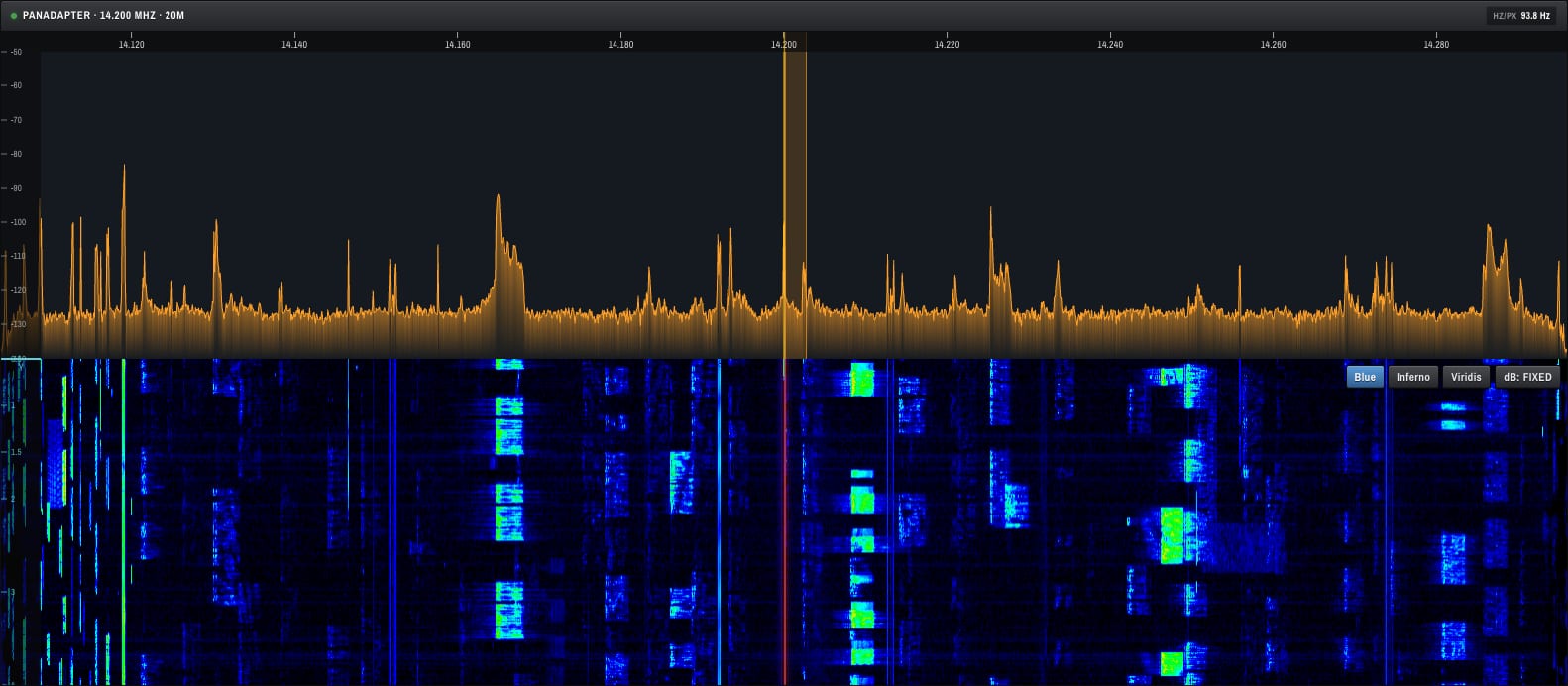
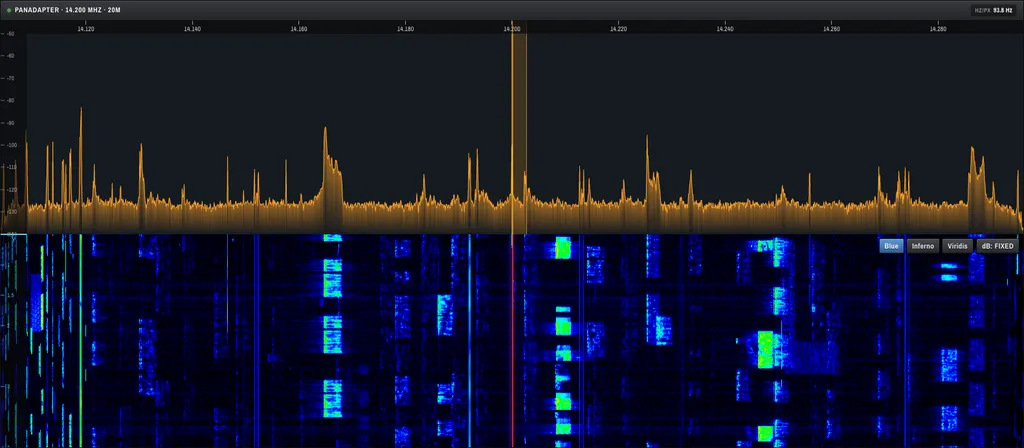
The Hermes Lite 2 is a good fit for this: small, inexpensive, open and with an Ethernet port. And with Zeus there is a user interface that controls the HL2 completely in the browser. What is missing is everything around it that a station owner needs before opening the station to someone else:
- The HL2 speaks raw UDP and has no login. It must never hang directly on the internet, so something has to stand in front of it.
- Zeus is built for a single, trusted operator. There is no login, no second factor and no distinction between "may listen" and "may transmit".
- A transmitter can only be operated by one person at a time. Two browsers keying the same transmitter are a licensing problem, and a closed tab must not leave the power amplifier transmitting.
- Whoever has the station at home usually has no free public IP address and does not want port forwarding. A tunnel that only connects outward keeps the station closed.
These are exactly the parts hl2remote puts in front of Zeus.
What the project can do
At its core it is a chain of proven building blocks, held together with Docker Compose:
- HTTPS and login with a second factor via authenticator app or passkey, with a lockout after too many failed attempts.
- Three roles: Listeners see the waterfall and hear audio, but every request that changes something is rejected, so no tuning and no transmitting. Operators control everything. Admins additionally manage the users and can step in.
- One person at the transmitter: Whoever opens the console first has the radio. Everyone else sees a status page with the holding time and their place in the queue. When the transmitter becomes free, the next person moves up automatically.
- Safe on failure: If the holder closes the tab or the connection drops, the transmitter is unkeyed immediately. The transmit time limit and the drive limits are set again after every reconnect.
- Log: Who operated which station and when is recorded in the log, traceable per user.
- User management in the browser: Create users, change roles, block, issue a new password. Anyone who gets blocked is thrown out of the session immediately.

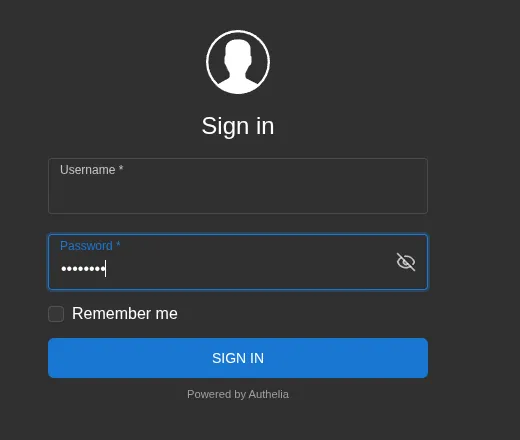
On top of that comes an optional tunnel via Cloudflare, so that no port has to be open at the site. If you do not want that, you can put a VPN such as Tailscale or WireGuard in front instead.
How it is built
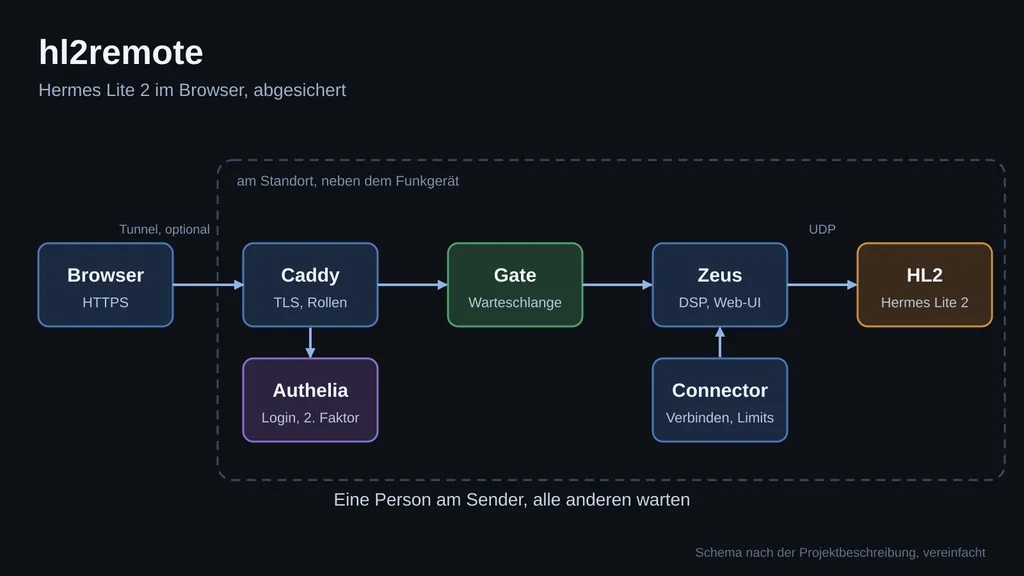
The request travels from the browser over HTTPS to Caddy. Caddy sends every request through Authelia first, which handles the login, and enforces the role rules. Next comes the "Gate", a small program that manages the lock and the queue. Only behind it sits Zeus, which talks to the HL2 over UDP (Protocol 1). Another service, the "Connector", reconnects Zeus to the radio after startup and after every dropout and sets the safety limits again.
Zeus itself is the Apache Labs Zeus, that is, the further development of the OpenHPSDR Zeus, with .NET, WDSP and a user interface in React and WebGL. It is built unmodified from its own source code, at a fixed release. No Zeus ports are open to the outside.
Where it is meant to run
The stack belongs next to the radio, for example on a Raspberry Pi 5 or a mini PC on the same network as the HL2. The images can also be built for ARM64. The reason: Protocol 1 transmits raw I/Q data over UDP and is sensitive to latency and fluctuations on the internet. Working against a forwarded HL2 port is fine for tests, but with dropouts in audio and waterfall. Such port forwards should only exist briefly, because Protocol 1 has no login.
Where things stand today
To be honest:
- Works: Login, the queue and the connection to a real HL2 for receiving.
- Being tested: Transmitting through the whole stack and the workflows with multiple users, that is, the queue, takeover by an admin and the listener role.
- Still missing: an independent security review. Until then it is a test installation, and I would not invite anyone without having read the section on known limits in the project description first.
I would like to highlight two things from this list. Zeus brings its own remote access, which runs through an intermediary from Apache Labs. That would be a second way to the radio. hl2remote prevents you from switching it on via the web, and I recommend leaving it off so that the login stays the only entrance. And in the listener role the interface can show error messages, because it wants to save settings that are not allowed there. Receiving still works. Before inviting others, you should try this yourself with a listener account.
And legally?
Remote operation and guest operators fall under the national amateur radio rules. Before anyone other than the license holder is allowed to transmit from the station, it must be clarified under which call sign they transmit and who bears the responsibility. The software cannot decide that for you, and I deliberately do not give legal advice here. If you are unsure, ask the competent authority. For pure listening the matter is much simpler, which is why the listener role exists.
Next stage: a ready-made Raspberry Pi image
Today you build the stack yourself with Docker Compose. That works, but it is not for someone who just wants to get on the air. My goal for the next stage: a dedicated Raspberry Pi image with the software running, which you write to the SD card, plug straight into the HL2 and get going. That does not exist yet, it is the plan. I am not naming a date, because the testing first has to get far enough that I can pass it on with a clear conscience.
Join in
hl2remote is a community project under the MIT license. Zeus stays under its own GPL license and is included unmodified. Anything that moves a DIY project forward helps:
- Testing with your own HL2, especially receiving, the queue and the listener role.
- Reporting bugs and observations as an issue.
- Ideas for the Pi image and for sensible default settings.
- Criticism of the security concept. Here in particular I am glad about additional pairs of eyes.
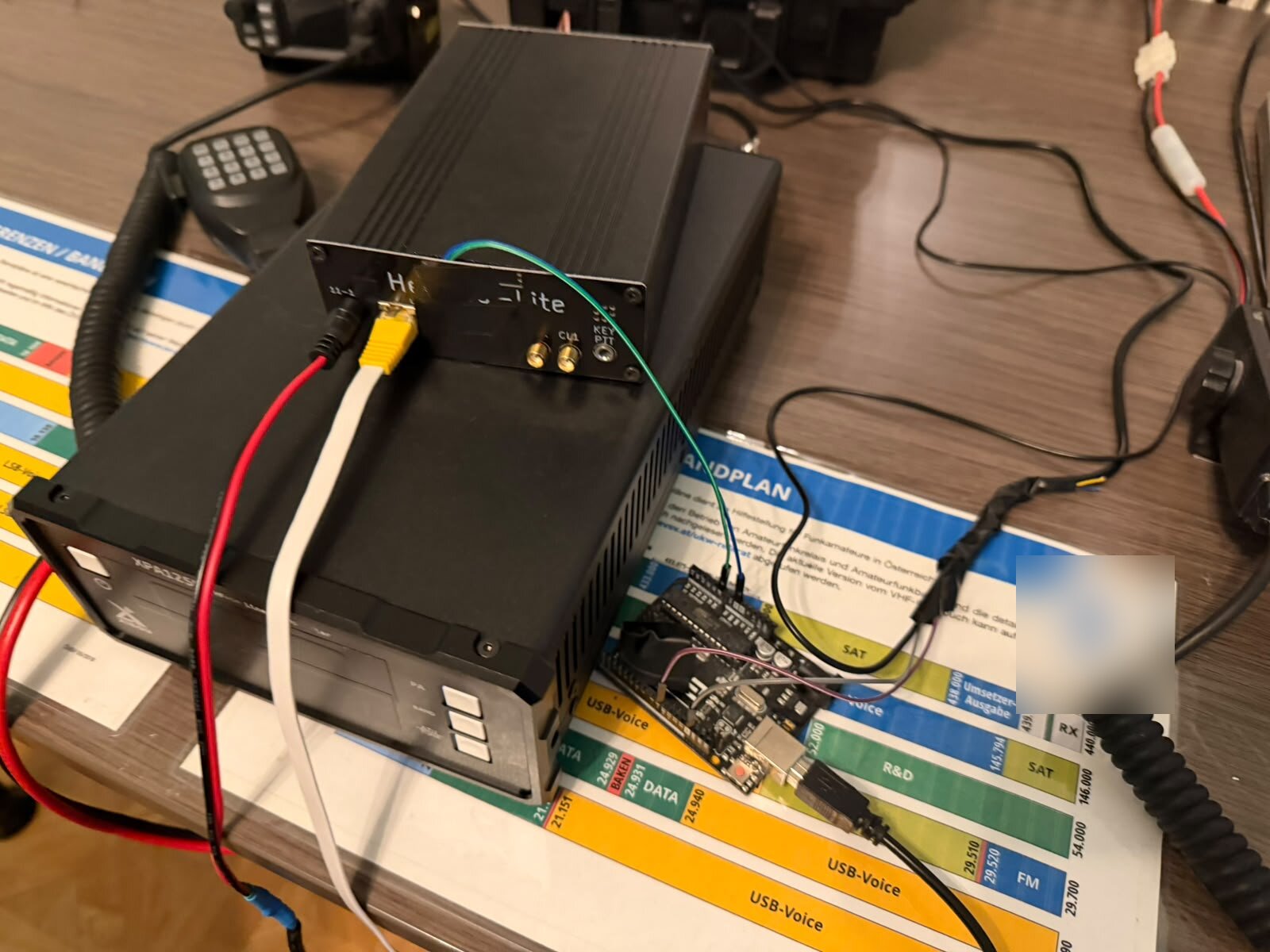
The project is public on GitHub: github.com/achildrenmile/hl2remote. If you first want to bring the Hermes Lite 2 up to 100 watts, you will find the setup with the Xiegu XPA125B with us, and a general overview of remote operation is given in Remote Shack: Control Your Amateur Radio Station from Anywhere.
73, Michi OE8YML
Transparency note
I wrote and checked this article with the support of AI (Claude, Anthropic) based on the public project description of hl2remote. The status information corresponds to the project page as of 4 November 2026 and may change. The project is a test and has not been independently security reviewed. The Zeus picture comes from the documentation of the Zeus project, the pictures of the login and of the lock bar from the test installation. The Raspberry Pi image is an intention, not an offer. The legal notes do not replace advice from the competent authority. Corrections and additions are welcome at [email protected].