
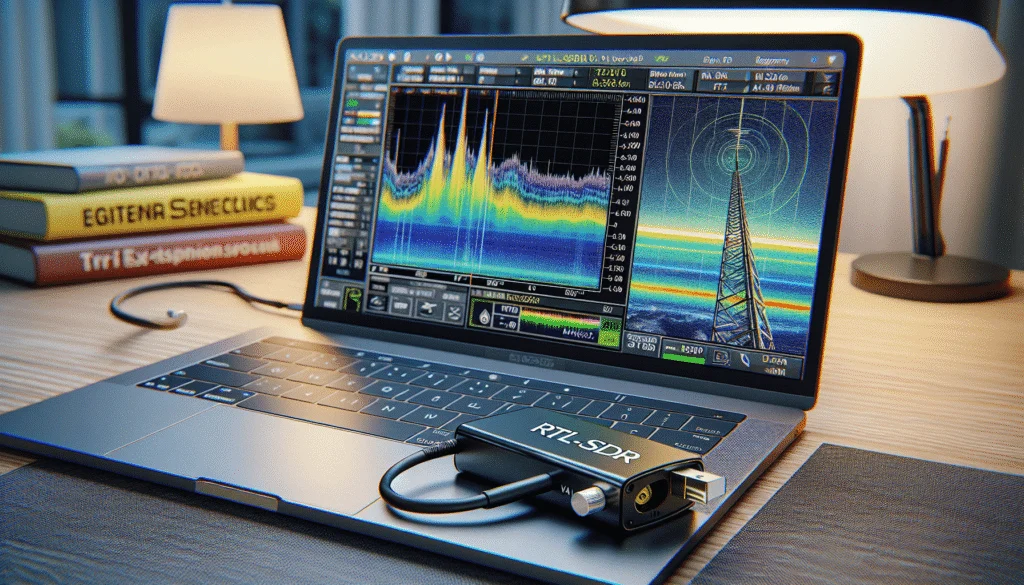
Track aircraft, receive weather satellite images, listen to amateur radio, monitor ships on the Danube — all with a USB stick costing around 30 euros? Welcome to the world of Software Defined Radio. The RTL-SDR is the cheapest entry point into the fascinating world of radio reception and opens the door to dozens of projects.
What is Software Defined Radio?
In a traditional radio, dedicated hardware determines what can be received — AM, FM or SSB each require their own circuits. A Software Defined Radio (SDR) moves these functions into software: a single piece of hardware can receive virtually any modulation type. The RTL-SDR dongle consists essentially of an antenna, an analogue-to-digital converter and a USB connection to a computer. Everything else — demodulation, filtering, decoding — happens on screen.
The RTL-SDR story began in 2010, when developers discovered that the Realtek RTL2832U chip in cheap DVB-T TV sticks could output raw I/Q data. By 2012 the Osmocom community had built an open-source driver that turned a 10-euro TV dongle into a wideband receiver. Since then, an entire ecosystem of software and hardware has evolved.
The Hardware: RTL-SDR Blog V4
The current top recommendation for beginners is the RTL-SDR Blog V4. For around 35–45 euros (as a kit with dipole antenna) it offers:
- Frequency range: 500 kHz to 1.7 GHz — including shortwave thanks to a built-in HF upconverter
- 1 PPM TCXO: Temperature-compensated oscillator for accurate frequency stability
- Bias Tee: Powers active antennas directly through the coaxial cable
- SMA connector: Standard antenna connector
- Aluminium case: Good shielding and passive cooling
Important: The V4 is a limited edition — the R828D tuner chip is no longer in production. The Nooelec NESDR Smart v5 (0.5 PPM TCXO, 100 kHz–1.75 GHz) is a good alternative. Avoid cheap no-name dongles without TCXO — their frequency drift makes many applications impossible.
What Can You Receive?
Get started immediately:
- FM broadcast radio (87.5–108 MHz) — the classic first test
- Airband (118–137 MHz AM) — pilot and air traffic control communications
- ADS-B aircraft tracking (1090 MHz) — decode position, altitude, speed and callsign of every aircraft in range
- AIS ship tracking (161.975 / 162.025 MHz) — track ships on the Danube and Austrian lakes
- DAB+ digital radio (174–240 MHz)
Intermediate projects:
- Weather satellites: The Russian Meteor-M2-3 and M2-4 (137 MHz) deliver high-resolution colour images. A simple V-dipole antenna made from two wires is enough. NOAA APT satellites were decommissioned in 2025 — Meteor is now the primary option. Our satellite tracking article covers more projects.
- ISS SSTV (145.800 MHz) — the International Space Station transmits Slow Scan TV images during special events
- Amateur radio 2m/70cm — monitor local repeaters (144–146 / 430–440 MHz)
- ACARS (131.550 MHz) — digital text messages from aircraft
Legal note: Receiving is generally legal in Austria and the EU. However, it is forbidden to record, transcribe or forward the content of non-public transmissions.
The Best Software
For general SDR reception with spectrum and waterfall display:
- SDR# (SDRsharp): The classic for Windows — easy to use with an extensive plugin ecosystem. Download at airspy.com/download
- SDR++: Modern, fast and cross-platform (Windows, Linux, macOS). Open source — the recommendation for Linux users. Website: sdrpp.org
- GQRX: Clean, simple interface for Linux and macOS
For specialist applications:
- dump1090 / tar1090: ADS-B decoding and web-based map display
- SatDump: The modern all-in-one tool for weather satellite decoding — supports Meteor-M2, GOES and 90+ satellites
- Direwolf: APRS decoding — ideal for building a receive-only iGate (more in our APRS article)
Antennas: The Most Important Factor
The included telescoping dipole antenna is a good start, but purpose-built antennas deliver significantly better results:
- ADS-B (1090 MHz): Dedicated collinear or ground-plane antenna — mount as high as possible. A FlightAware antenna costs around EUR 40
- Weather satellites (137 MHz): DIY QFH antenna from PVC pipe and coax, or a V-dipole from two 54 cm wires at a 120° angle
- General VHF/UHF: Diamond X-50N or similar dual-band collinear (EUR 60–80)
- Shortwave: Long-wire antenna or Mini Whip (active antenna powered via the V4 bias tee)
The golden rule: antenna placement matters more than antenna type. A simple antenna outdoors and mounted high will outperform an expensive antenna indoors.
For Licensed Radio Amateurs
The RTL-SDR is also a valuable tool for licensed operators:
- Panadapter: Connect the RTL-SDR to the IF output of your HF transceiver for a waterfall display of band activity
- APRS iGate: A Raspberry Pi with RTL-SDR and Direwolf creates a receive-only APRS iGate in under 30 minutes on 144.800 MHz
- Second receiver: Monitor 2m/70cm repeaters while operating HF on your main rig
- Wideband monitoring: With 2.4 MHz bandwidth, monitor multiple repeater frequencies simultaneously
For those who want to transmit as well as receive, our article on the HackRF PortaPack covers an SDR with transmit capability up to 6 GHz.
Limitations
- Receive only: The RTL-SDR cannot transmit
- 8-bit ADC: Only about 50 dB of dynamic range — strong signals can overload the receiver
- Overload-prone: Strong nearby FM transmitters or cell towers can degrade reception. Remedies: reduce gain, use bandpass or FM notch filters
- Limited bandwidth: 2.4 MHz stable (3.2 MHz max) — higher-end SDRs offer 6–10+ MHz
Upgrade Paths
- Airspy Mini (~EUR 100–120): 12-bit, excellent VHF/UHF performance
- Airspy HF+ Discovery (~EUR 170–220): 18-bit effective, outstanding HF performance
- SDRplay RSPdx-R2 (~EUR 225–260): 14-bit, 1 kHz–2 GHz, three antenna ports
- HackRF One (~EUR 250–350): 8-bit, 1 MHz–6 GHz, with transmit capability. See our HackRF PortaPack article
Get Started in 30 Minutes
Shopping list (under EUR 50): RTL-SDR Blog V4 with dipole antenna kit (~EUR 35–45) plus a USB extension cable (~EUR 5) to reduce computer interference.
First steps: Download SDR++ or SDR#, install USB drivers (Zadig on Windows), connect the dongle, extend the dipole, tune to a local FM station — first success! Then try ADS-B with dump1090 for real-time aircraft on a map.
Raspberry Pi project: A Raspberry Pi with RTL-SDR and a 1090 MHz antenna creates a 24/7 aircraft tracker. Feed the data to FlightAware or Flightradar24 and receive a premium account in return.
The RTL-SDR is the perfect entry point into the world of radio — whether as preparation for the amateur radio exam, as a tool for licensed operators, or simply out of curiosity. For 30 euros, there is no better window into the electromagnetic spectrum.
73 – your oeradio.at editorial team
Transparency Notice
This article was researched and written with the assistance of AI (Claude, Anthropic). Any illustrations used were generated with AI (ChatGPT/DALL·E, OpenAI) unless otherwise noted. The editorial team has reviewed and edited all content. Despite careful review, occasional inaccuracies may occur — we welcome corrections via email to [email protected].