Table of Contents
- What is the HackRF One?
- The PortaPack Extension: Pocket-Sized Autonomy
- PortaPack Hardware Components
- PortaPack H4M: The Current Model
- Mayhem Firmware: The Heart of the System
- What Makes Mayhem Special?
- Installation and Updates
- Practical Applications for Radio Amateurs
- Portable APRS Operation
- SSTV Transmission
- Spectrum Analysis and Frequency Monitoring
- ADS-B and Weather Sonde Reception
- Satellite Reception
- DMR and Other Digital Modes
- Legal Aspects in Austria
- Amateur Radio Licence Required
- Transmit Power and Band Plans
- What is Prohibited?
- Antennas and Accessories
- Recommended Antennas
- Other Useful Accessories
- Getting Started Tips
- Buying Decision: Original or Clone?
- First Steps After Unboxing
- Avoiding Common Beginner Mistakes
- Community and Development
- Key Resources
- Transparency Notice
If you’re into Software Defined Radio, you know the problem: most SDR devices are powerful but need a computer to work. Not so with the HackRF One and its PortaPack extension — a combination that has achieved cult status in the SDR community. This portable solution makes you independent from your laptop, enabling transmission and reception from 1 MHz to 6 GHz completely autonomously. Whether at a field day, on mountain hikes, or in the shack: the system fits in any jacket pocket and offers functions that would otherwise require multiple devices.
In Austria, this combination is growing in popularity, especially since the Mayhem firmware has turned the system into a true all-rounder. The amateur radio community regularly discusses use cases and projects with the PortaPack — from frequency analysis to APRS to SSTV experiments. If you’re generally interested in SDR receivers, you’ll find a comprehensive overview in our 2026 SDR comparison.
This article covers the technical background, practical applications, and gives concrete tips for getting started with HackRF and PortaPack in 2026.
What is the HackRF One?
The HackRF One is an open-source SDR transceiver developed by Great Scott Gadgets. Unlike receive-only SDRs such as the RTL-SDR, the HackRF can both receive and transmit — a feature that makes it particularly interesting for radio amateurs. Key specifications:
- Frequency range: 1 MHz to 6 GHz
- Half-duplex operation: Either transmit or receive, not simultaneously
- Bandwidth: Up to 20 MHz sample rate (8-bit quadrature sampling)
- Transmit power: Up to 15 dBm (~30 mW), frequency dependent — best performance between 10 MHz and 2,150 MHz
- Connectors: 1× SMA antenna port (50 Ω), 2× SMA clock ports (CLKIN/CLKOUT, 10 MHz), USB 2.0 High Speed
- Price: Original approx. €350–400, Chinese clones from approx. €180 (as of 2026)
The device was originally developed as a tool for security researchers — hence the name. It has since become a popular tool in the amateur radio community, especially for experimentally minded hams who appreciate its broadband capabilities.
New since 2025: Great Scott Gadgets has introduced the HackRF Pro — with an extended frequency range from 100 kHz, integrated TCXO for better frequency stability, improved RF performance, and an optional 16-bit mode. Price: from approx. $335 USD. The HackRF Pro is compatible with most PortaPacks.
The PortaPack Extension: Pocket-Sized Autonomy
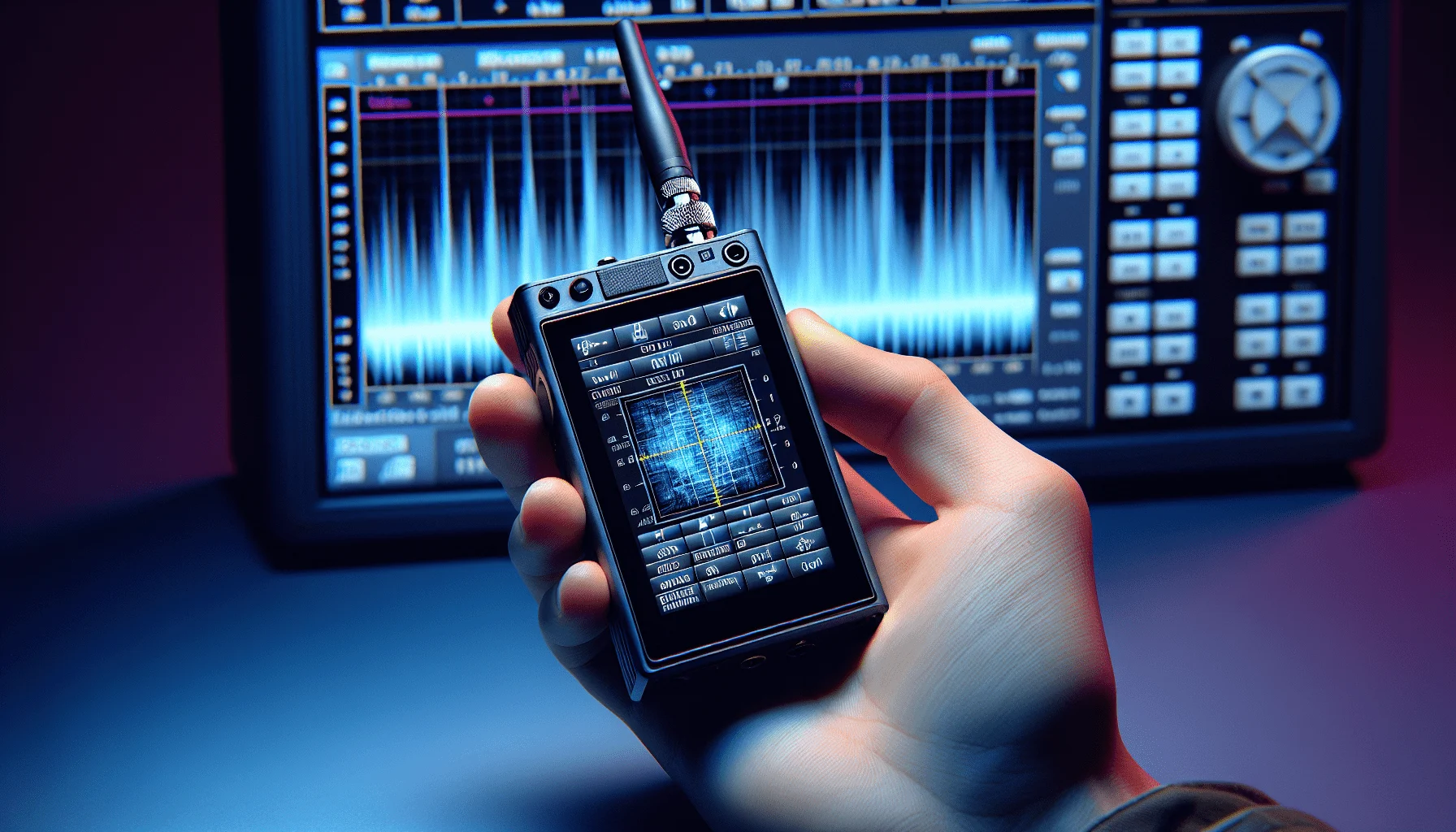
The HackRF One alone is powerful but unusable without a computer or smartphone with appropriate software. That’s where the PortaPack extension comes in. This hardware add-on was originally developed by Jared Boone and transforms the HackRF into a standalone device.
PortaPack Hardware Components
A typical PortaPack setup consists of several components that plug directly onto the HackRF One:
- LCD touchscreen: 3.2 inches (320×240 pixels) on H2, improved on H4M
- Microcontroller: ARM Cortex-M4F (LPC4320, 204 MHz)
- Controls: Rotary encoder, navigation buttons, reset button
- Storage: microSD card slot for firmware and recordings
- Audio: 3.5 mm jack for headphones/speaker
- Power supply: Li-Ion battery (2,500–3,500 mAh) or USB
- Additional hardware: Real-time clock (RTC), temperature sensor
The hardware plugs seamlessly onto the HackRF and communicates via the high-speed USB bus. The result: a compact, portable SDR system about the size of an older smartphone that operates completely autonomously.
PortaPack H4M: The Current Model
The PortaPack H4M has succeeded the older H2 model and brings noticeable improvements:
- USB-C instead of Micro-USB — faster charging and a modern connector
- Proper on/off switch — no more accidental activation in your bag
- Built-in speaker and microphone — automatic switching when headphones are plugged in
- I2C GPIO port — enables external modules like GPS receivers or sensors
- Battery info in firmware — displays voltage, current, and estimated remaining runtime
- Flatter design — more compact and easier to transport
Prices for complete bundles (HackRF + PortaPack H4M) range from about €280–400 from Chinese sellers, original bundles around €550–700. The H2 model is still available and somewhat cheaper, but the H4M is recommended for new buyers.
Important to know: there are numerous clones on the market. Quality varies, but many Chinese reproductions work surprisingly well. Pay attention to seller ratings and ensure a current firmware version is pre-installed.
Mayhem Firmware: The Heart of the System
The original PortaPack firmware was functional but limited. That changed dramatically with the Mayhem firmware — a community fork that turns the system into a true multi-function tool. The Mayhem firmware is actively developed with regular nightly builds and new features. It supports the H1, H2, and H4M models.
What Makes Mayhem Special?
The Mayhem firmware offers an impressive range of features:
- Receive modes: NFM, WFM, AM, SSB, spectrum analysis
- Digital decoders: ADS-B (aircraft), AIS (ships), ACARS, POCSAG, TPMS (tyre pressure sensors), ERT, BTLE
- Amateur radio: APRS TX/RX, SSTV TX, AFSK, Morse generator
- Signal analysis: Waterfall display, signal strength meter, audio spectrum
- Transmitter: FM, AM, POCSAG, AFSK, tone generator, microphone input
- Replay functions: IQ file playback, signal recording
- Utilities: Frequency scanner, signal generator, spectrum painter, file manager
The firmware is intuitive and offers a graphical interface that beginners can master quickly. A highlight is the file manager for managing recordings directly on the microSD card.
Installation and Updates
Installing Mayhem firmware is straightforward: download the latest version from GitHub, extract the files to a FAT32-formatted microSD card (at least 8 GB recommended), and insert it into the PortaPack. On the next boot, the firmware updates automatically. The entire process takes less than five minutes.
Updates are released as nightly builds, with stable releases at longer intervals. The community is very active and new features are implemented quickly.
Practical Applications for Radio Amateurs
What can you actually do with the HackRF PortaPack as a radio amateur? The applications are diverse and go well beyond simple receive experiments.
Portable APRS Operation
The Mayhem firmware supports both receiving and transmitting APRS packets on 144.800 MHz (the European APRS frequency). You can use the PortaPack as a mobile APRS tracker — perfect for hiking in the Austrian Alps or at field days. GPS position can be fed via an external GPS module (via UART); some H4M models support GPS through the I2C GPIO port.
The HackRF’s transmit power (up to ~30 mW) is sufficient for local APRS experiments. For greater range, an external PA (Power Amplifier) is recommended.
SSTV Transmission
Slow Scan Television (SSTV) works well with the PortaPack. The Mayhem firmware supports SSTV TX — you can transmit .bmp images from the SD card in common modes: Scottie 1 and 2, Scottie DX, Martin 1 and 2, and SC2-180.
Note: Full SSTV receive decoding directly on the PortaPack display is not implemented in the current firmware. For SSTV RX, you can receive the audio signal and decode it externally (e.g., on a PC with MMSSTV or on a smartphone).
Spectrum Analysis and Frequency Monitoring
With a broadband sample rate of up to 20 MHz, the HackRF is ideal for spectrum analysis. The spectrum analyser mode shows you in real time what’s happening in a given frequency range. This is particularly useful for:
- Contest preparation: find clear frequencies on busy bands
- EMC analysis: identify interference sources in the shack or at home
- Band occupancy: document activity on specific frequencies
The waterfall display is particularly helpful for recognising temporal patterns. Screenshots can be saved directly to the SD card. For precise antenna measurements, however, a dedicated device like the NanoVNA is recommended — the HackRF does not replace a network analyser.
ADS-B and Weather Sonde Reception
Two particularly popular receive applications: ADS-B decoding shows you aircraft in real time on the display. And on 400–406 MHz you can track weather sondes and receive their telemetry data — although for these applications an RTL-SDR is often the better and cheaper choice.
Satellite Reception
Amateur radio satellites can be received with the HackRF PortaPack. You can manually compensate for Doppler shift and listen on common FM satellites (e.g., SO-50). For NOAA weather satellites (137 MHz), WFM demodulation works well. However, automatic satellite tracking is not integrated in Mayhem.
DMR and Other Digital Modes
Native DMR decoding is not integrated in the Mayhem firmware. However, you can make IQ recordings of DMR signals and decode them later on a computer using DSD+. The same applies to D-STAR, C4FM, and other modern digital modes. The PortaPack thus becomes a practical field recorder for digital signals.
Legal Aspects in Austria
Before operating the HackRF PortaPack, you should familiarise yourself with the legal framework. The device is a full transceiver, and its operation is subject to Austrian telecommunications regulations.
Amateur Radio Licence Required
For transmitting on amateur radio bands, you need a valid amateur radio licence (CEPT licence Class 1, 3, or 4). In Austria, this is issued by the Fernmeldebüro (Telecommunications Office, fb.gv.at) — which also conducts the examination. Without a licence, you may only use the HackRF for reception or in ISM bands (e.g., 433 MHz, 868 MHz) within permitted power levels and restrictions.
Transmit Power and Band Plans
The HackRF One has a maximum native transmit power of approximately 15 dBm (~30 mW), frequency dependent. That sounds low but is sufficient for many experiments. Important: follow the IARU Region 1 band plans and Austrian power limits. For higher power, you need external amplifiers — but be careful: uncontrolled transmission can interfere with other radio services and is punishable by law.
A tip: use the HackRF with a dummy load or heavily attenuated antenna first until you’re familiar with the system.
What is Prohibited?
The following activities are illegal in Austria (and generally in the EU) and can result in severe penalties:
- Transmitting on protected frequencies (emergency services, aviation, mobile networks, etc.)
- Jamming radio communications
- Unauthorised interception of encrypted communications
- Replay attacks on access controls, keyless entry systems, etc.
The HackRF is a tool for research and amateur radio — use it responsibly and within the scope of your licence.
Antennas and Accessories
Choosing the right antenna is crucial for your HackRF PortaPack’s performance. The device covers an enormous frequency range, but no antenna is equally suited for all frequencies.
Recommended Antennas
For portable use, these are particularly suitable:
- Telescopic antennas: Small, light, usable for VHF/UHF (approx. €15–30)
- Discone antennas: Broadband but bulky — ideal for stationary use (approx. €50–100)
- Log-periodic antennas: Excellent broadband performance, directional (€80–300)
- Portable dipoles: DIY for specific bands, very efficient
A community tip: the Nagoya NA-771 (approx. €15) is a compact dual-band antenna (2 m/70 cm) suitable for mobile VHF/UHF use.
Other Useful Accessories
- External power bank: Extends operating time to several hours (at least 2 A output)
- SMA adapters: For different antenna connectors (SMA to BNC, N, etc.)
- Attenuators (10–20 dB): Protect the input from strong signals near transmitters
- Bandpass filters: Reduce intermodulation and improve reception in critical areas
- LNA (Low Noise Amplifier): For weak signals, e.g., satellite reception (approx. €30–80)
- PA (Power Amplifier): Increases transmit power — only use with a valid licence and within permitted power limits
Getting Started Tips
You’ve decided to get a HackRF PortaPack? Here are some proven tips to help you get started:
Buying Decision: Original or Clone?
The key question: original HackRF One from Great Scott Gadgets (approx. €350) or Chinese clone (from €180)? For most users, a quality clone is perfectly adequate. Look for:
- Good seller ratings (e.g., on AliExpress, Amazon)
- Current firmware pre-installed
- Complete accessories (antennas, cables, battery)
- Warranty or return policy
If you want to support the project and value the best quality, go for the original. Performance differences are marginal in practice. Those with a larger budget should consider the new HackRF Pro (from $335 USD) — significantly better RF performance and an integrated TCXO.
First Steps After Unboxing
- Update firmware: Download the latest Mayhem version from GitHub and install it
- Set RTC: Configure date and time (important for correct timestamps)
- Load frequency database: Import frequency lists for your region
- First receive test: Tune to FM broadcast (88–108 MHz) and test WFM mode
- Spectrum analysis: Scan the 2 m band and observe activity
- Test recording: Record a signal as an IQ file and play it back
Avoiding Common Beginner Mistakes
- No antenna while transmitting: Can damage the HackRF! Always connect an antenna or dummy load.
- Signals too strong: Use attenuators when near transmitters.
- Poor SD card: Use high-quality cards (Class 10, UHS-I) for reliable recordings.
- Overheating: The HackRF can get warm — ensure ventilation during extended operation.
- Wrong gain setting: Start with low gain and increase gradually.
Community and Development
The HackRF and PortaPack community is vibrant and helpful. Enthusiasts worldwide share new applications, firmware updates, and hardware modifications.
Key Resources
- GitHub Mayhem: github.com/portapack-mayhem — firmware, issues, discussions
- Mayhem Hub: hackrf.app — central community info page
- Discord: Active community with fast support (link via GitHub)
- Reddit: r/hackrf and r/RTLSDR for sharing experiences
- YouTube: Numerous tutorial videos, e.g., from “Tech Minds” or “SignalsEverywhere”
If you’d like to run your own WebSDR server or explore the global KiwiSDR network, you’ll find articles on those topics on oeradio.at as well.
73 – your oeradio.at editorial team
Transparency Notice
This article was researched and written with the support of AI (Claude, Anthropic). All technical information has been verified against official documentation from Great Scott Gadgets and the Mayhem firmware documentation. The oeradio.at editorial team assumes responsibility for the content.