
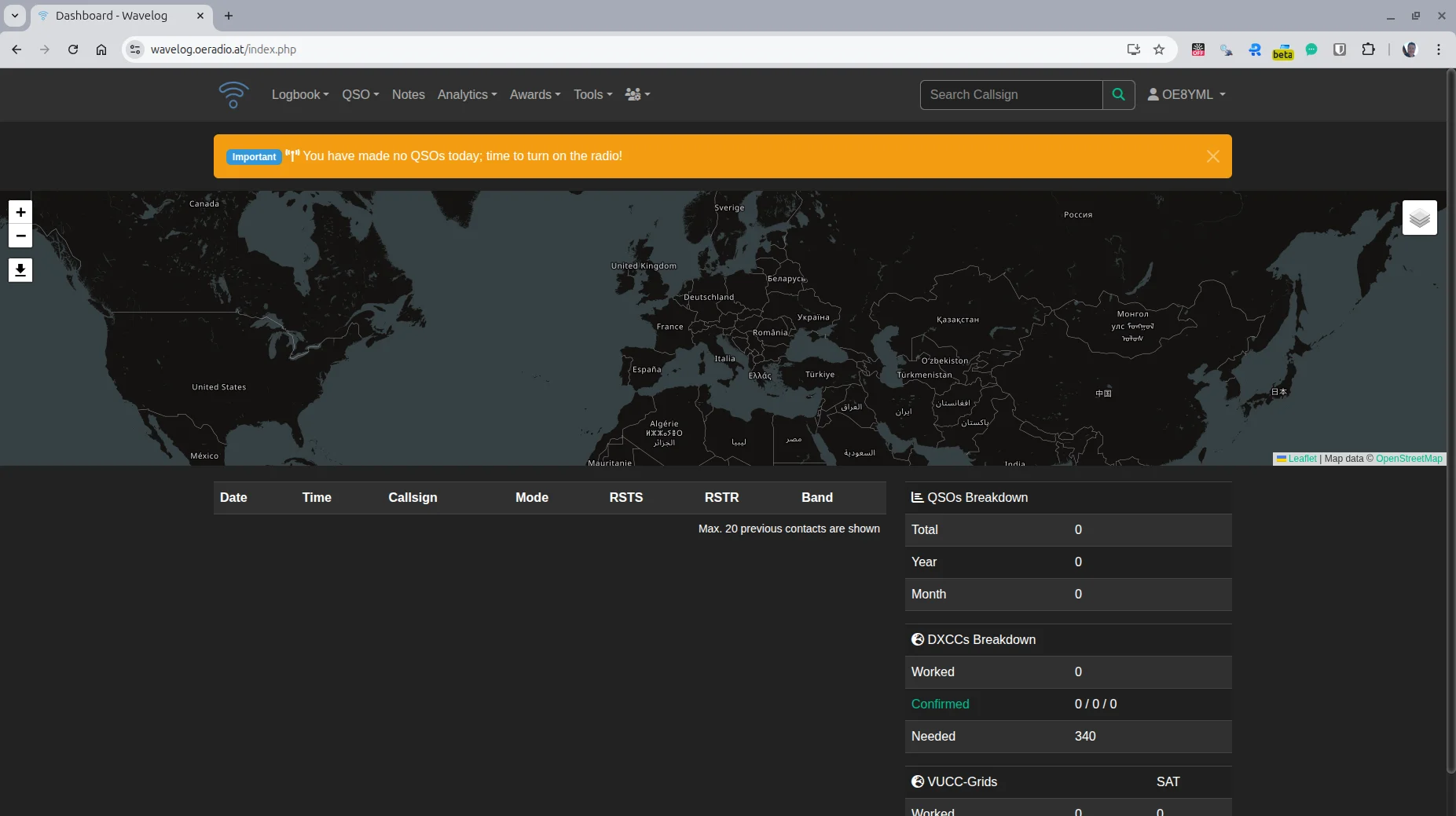
A flexible logbook that can be accessed at any time is particularly important for portable radio operations (e.g. POTA, SOTA, field days).
With Wavelog, a modern, web-based amateur radio logbook is now available on oeradio.at, which is particularly suitable for mobile use.
🔗 https://wavelog.oeradio.at
(The link can be found permanently in the menu under Tools.)

📡 Why Wavelog is ideal for portable operation
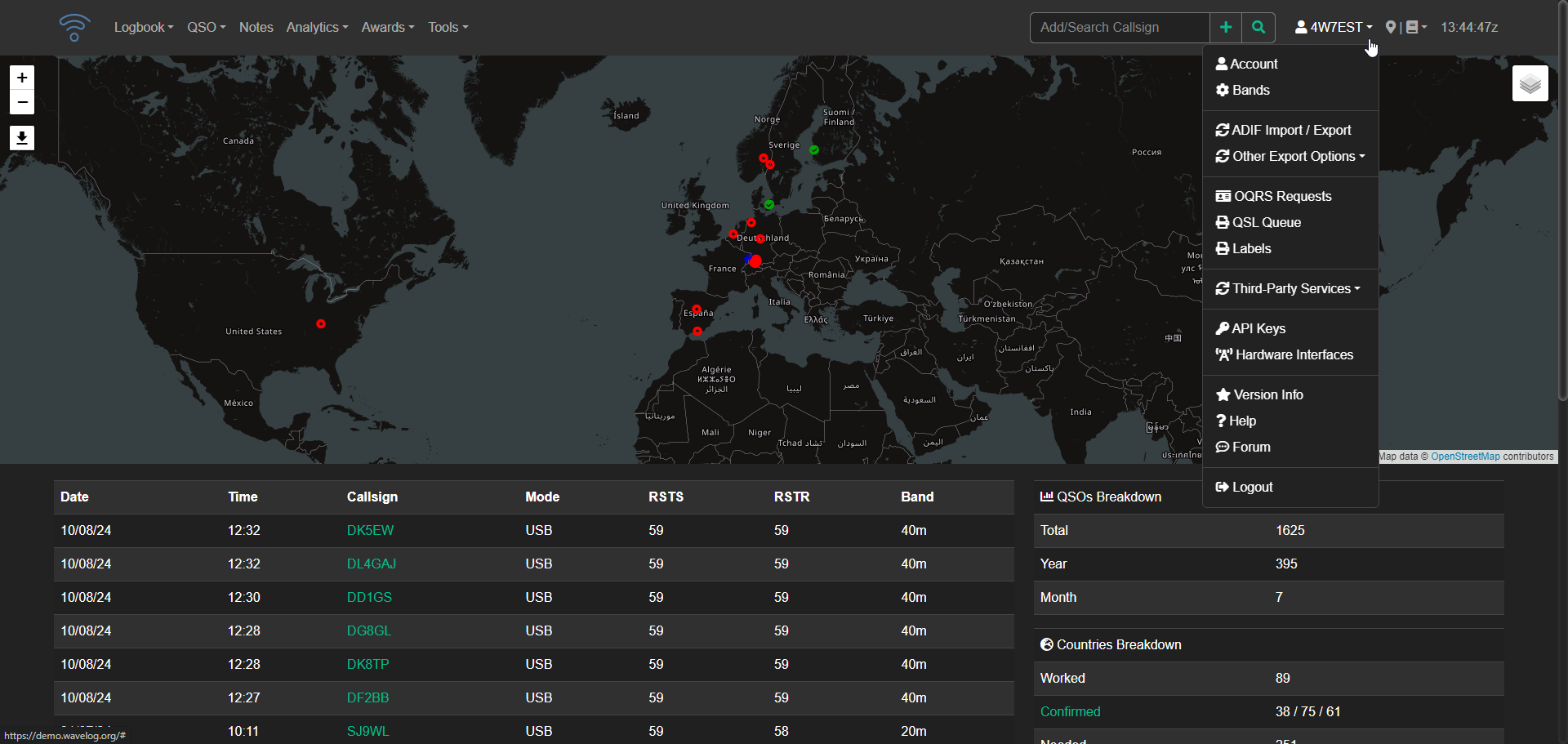
Wavelog runs entirely in the browser and requires no local installation. This makes it ideal for:
- 🏕️ POTA Activations
- ⛰️ SOTA operation
- 🚐 Radio operation on the go
- 📦 Field days and portable club activities
Central functions at a glance
- 🌐 Web-based – can be used on a notebook, tablet or smartphone
- 🔐 HTTPS encrypted (no open ports, no direct server access)
- 👥 Multi-user capable – multiple operators can work in the same log
- 📝 Fast QSO capture, even retrospectively
- 🔎 Search & filter by band, fashion, date, call sign
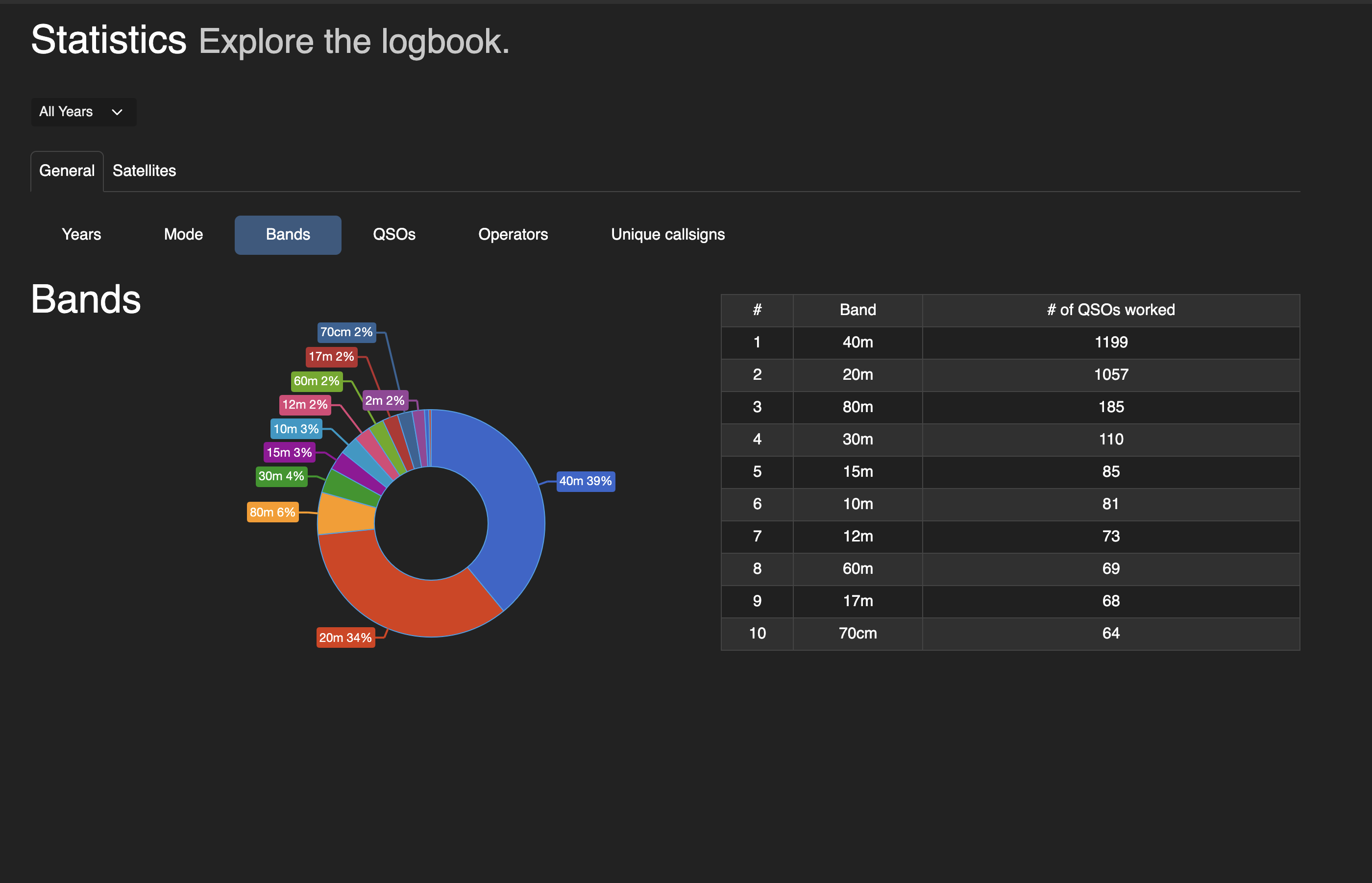
- 📊 Statistics (bands, operating modes, DXCC, time periods)
- 🔄 Automatic log uploads to:
- ClubLog
- QRZ.com
- HRDLog
- 📂 ADIF import & export – ideal for post-processing activations
Especially after portable use, QSOs can be easily imported or supplemented – regardless of the device used.
👤 Apply for a user account
A personal user account is required for regular use of Wavelog.
👉 Application by email to:
📧 [email protected]
Please include the following information:
- Call sign
- Name
- (optional) Email address
- brief note on planned use (e.g. POTA, SOTA, portable, club operation)
The user account will then be set up.
🧪 Public test access
A public test account is available to get to know and try out:
- Username:
oe8test - Password:
Test12345!!
⚠️ Note:
The test account is used exclusively for test purposes.
Please do not enter any real or permanent QSOs – the data can be deleted at any time.
🔐 Data protection & data security
The operation of Wavelog on wavelog.oeradio.at is data protection-conscious:
- 🔒 Access only via encrypted HTTPS connection
- 🏠 Server operation under our own control (no external logging service)
- 🧾 Only: are saved
- Log data (QSO information) usual for radio operations
- User accounts with callsigns
- 📤 No automatic forwarding of data
(uploads to ClubLog, QRZ, HRDLog are only carried out actively by the user) - 🧹 Test data can be deleted at any time
- 👥 Users only have access to the designated log areas
The offer is a technical tool for radio amateurs and not a public social network.
🛠️ New tool on oeradio.at
With Wavelog we are expanding the tools area to include a practical online logbook with a particular focus on portable radio operation.
Feedback, practical experiences and suggestions for improvement are welcome.
Have fun testing and logging – portable and on air 📻
73 OE8YML
🔹 Who is Wavelog intended for?
For radio amateurs who want to use a web-based logbook – particularly suitable for POTA, SOTA, portable operations and club operations.
🔹 Do I need to install anything?
No. Wavelog runs entirely in the browser on a PC, tablet or smartphone.
🔹 Can I still log after activation?
Yes. QSOs can be added or imported via ADIF at any time.
🔹 Can I export my QSOs?
Yes. ADIF export is possible at any time.
🔹 Will my QSOs be published automatically?
No.
Uploads to ClubLog, QRZ.com or HRDLog only take place if you actively configure them.
🔹 Is there test access?
Yes:
- Username:
oe8test - Password:
Test12345!!
Please use for testing purposes only.
🔹 How do I get my own account?
Simply send an email to 📧 [email protected]
(Call sign + short note on usage is enough.)
