
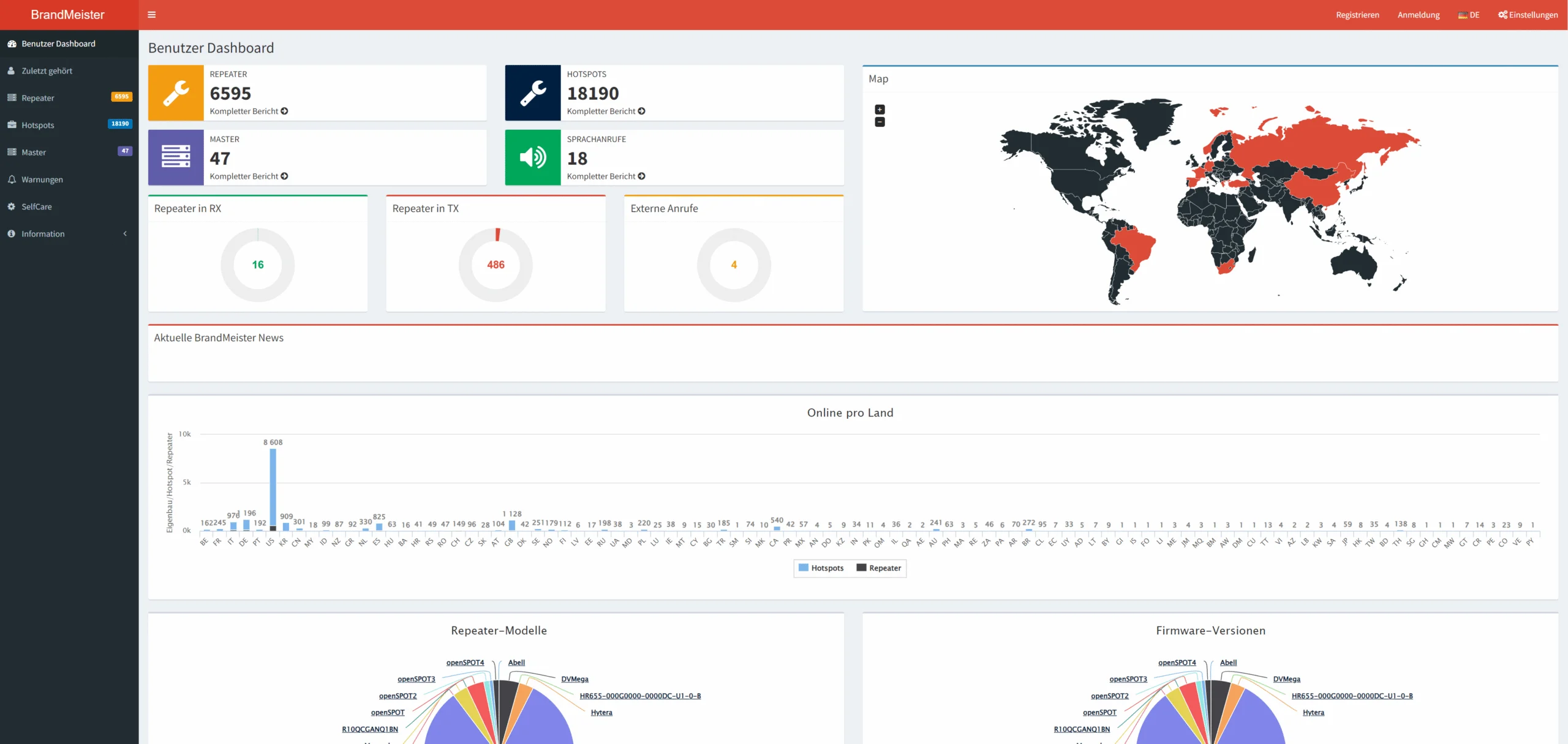
The Dobratsch converter (OE8XFK) is integrated into the BrandMeister network (https://brandmeister.network/?page=device&id=232895). The BrandMeister DMR network offers many functions.
The role of the BrandMeister dashboard
The BrandMeister dashboard (brandmeister.network) is the central control tool for radio amateurs who use the BrandMeister DMR network. It provides a user-friendly interface with various features that enable communication to be managed effectively. Here are some of the key features:
Repeater overview: The dashboard provides an overview of all available repeaters in the BrandMeister network. It allows users to search for repeater locations or display them on a map.
Activity Monitor: Real-time information about network usage is displayed here. You can see which talkgroups are currently active and how many users are participating in a specific talkgroup.
Selfcare Settings: Users can manage their selfcare settings, including adding or removing talkgroups (for hotspots), updating user information, and adjusting location sharing.
Live QSO viewing: It is possible to track live QSOs on the network. Users can join current conversations or simply see what’s happening on the network. You can also check what signal strength you receive at the repeater.
Function of the BrandMeister Hoseline
The BrandMeister Hoseline is a web-based tool that enables radio amateurs to listen to conversations in various talk groups live over the Internet. It is particularly useful for users who do not currently have direct access to their DMR device but still want to be part of the action on the BrandMeister network. Here are the most important BrandMeister DMR network functions:
Live audio streaming: Hoseline offers the ability to listen to audio streams from active talk groups in real time. Users can simply select a talkgroup and start listening immediately, without the need for additional hardware.
Talkgroup selection: It’s easy to switch between different talkgroups. You can search specifically for talk groups or navigate through a list of currently active groups.
Field strength monitoring: Hoseline also displays technical information, such as the signal strength of the stations involved. This is useful for seeing how good a connection is to a particular repeater.
User-friendly interface: Hoseline’s web interface is easy to use, so even less experienced radio amateurs can easily find the information and audio streams they need.
Hoseline is therefore a valuable addition to the BrandMeister platform, as it makes it possible to participate in radio traffic at any time and anywhere. These features help optimize the user experience on the BrandMeister DMR network.
The Telegram DMR bot
The Telegram DMR-Bot is an innovative tool that provides radio amateurs with notifications about activity in the BrandMeister network via Telegram. Users can receive notifications for specific calls or conversations in specific talkgroups. More information about this can be found at nics-blog.de.
The BrandMeister service numbers
The BrandMeister service numbers offer special services and functions within the DMR network. Here are some useful numbers:
Echo test (9990): This number is used to carry out an echo test. Your own voice is sent back, making it possible to check the audio quality of the connection.
Activity query (9999): Using this number, users can receive an overview of the current activities in the network, including active talk groups and number of participants.
Talkgroup Switch: There are special service numbers that allow you to switch between talkgroups without having to do it manually.
Status query: Some numbers offer the option of querying the status of repeaters or other network parts in order to check the operating status.
Further information about the service numbers can be found in the BM262 Wiki.
Bonus: Access to the BrandMeister DMR network functions without a radio device
The BrandMeister network can also be used without a radio. Users can easily access the network using apps such as Droidstar or directly via smartphones, tablets and computers. All you need is a valid call sign and a DMR ID to access the network and participate in radio traffic using these digital tools.
You can find out more about digital radio here.
