
This page has been automatically translated. Errors may occur.
Learn Morse code in a playful way – while sinking ships!
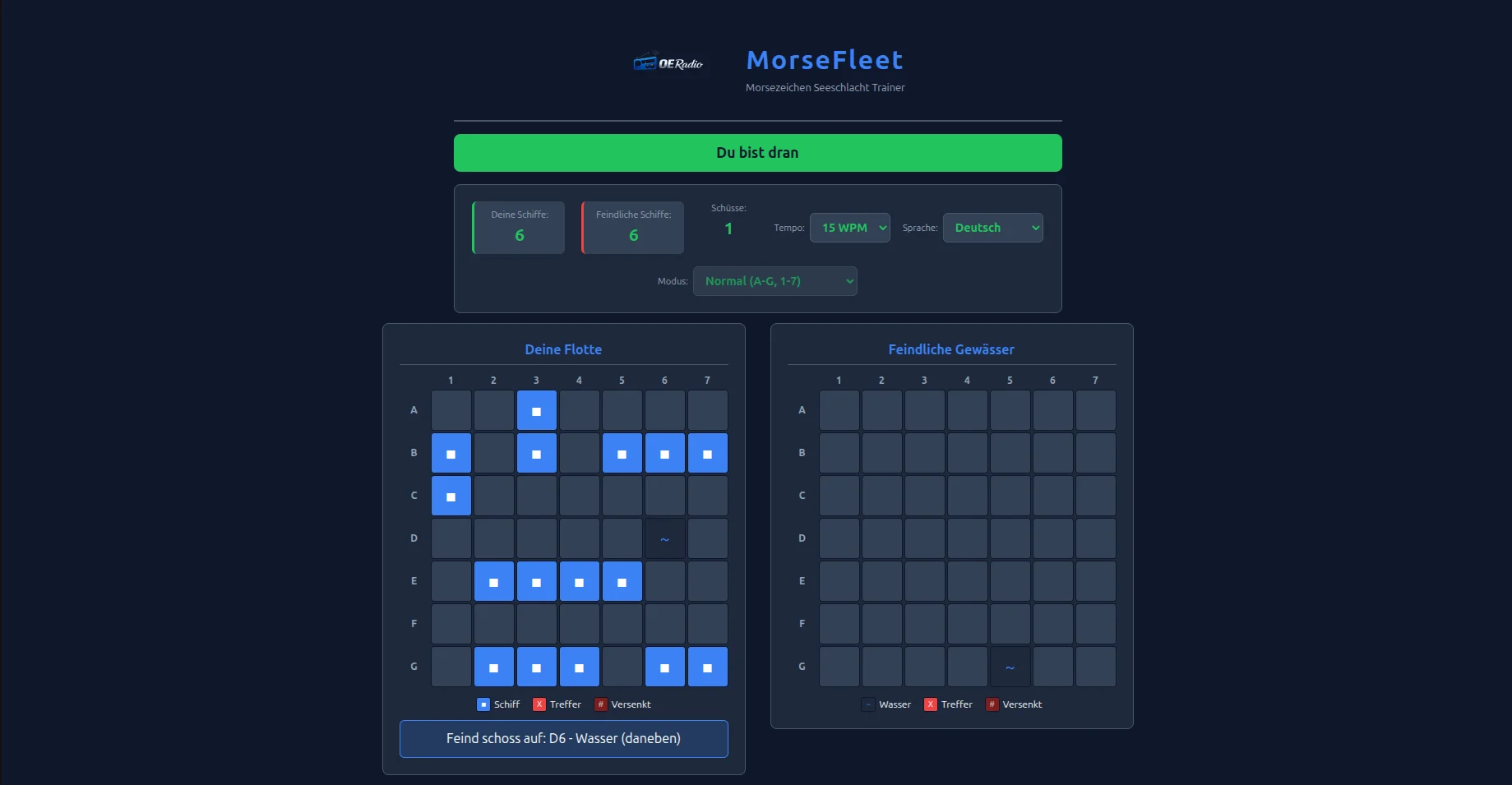
MorseFleet combines the classic ship-sinking game with Morse code training. Instead of simply typing in coordinates, you enter them using a Morse key (or the space bar). This is how you learn Morse code while you’re fighting the computer.
Features
- Two-way gameplay – Place your 6 ships on a 7×7 grid, then it starts: you shoot, the computer shoots back
- Real Morse key – short press = dot, long press = dash. The space bar or a click on the key works
- Audio Feedback – Authentic Morse tones with adjustable speed (10-25 WPM)
- Two game modes – Normal (A-G, 1-7) or Advanced (A-N, 0-9) for the complete alphabet
- Interactive tutorial – With live demo for a quick start
- Trilingual – German, English, Slovenian
- Autoplay Mode – Let the game play itself and learn by watching
This is how it works
- Place Fleet – Click on the left grid, R to rotate. “Confirm fleet” when finished.
- Enter Morse code – Hold the key: short (<200ms) = dot, long (>200ms) = dash
- Send coordinates – Enter letter + number (e.g. “B3”), then “Send”
- Understand answer – W (.–) = water, S (…) = hit, K (-.-) = sunk
Morse code reference
Letters (Normal mode):
A = .- | B = -… | C = -.-. | D = -.. | E = . | F = ..-. | G = –.
Numbers:
1 = .—- | 2 = ..— | 3 = …– | 4 = ….- | 5 = ….. | 6 = -…. | 7 = –…
Open Source
MorseFleet is part of OERadio tools and is completely open source. The rules of the game are based on the rules of the Radioklub Vegova (S59VEG). The source code is available on GitHub.
73 de OE8YML
