
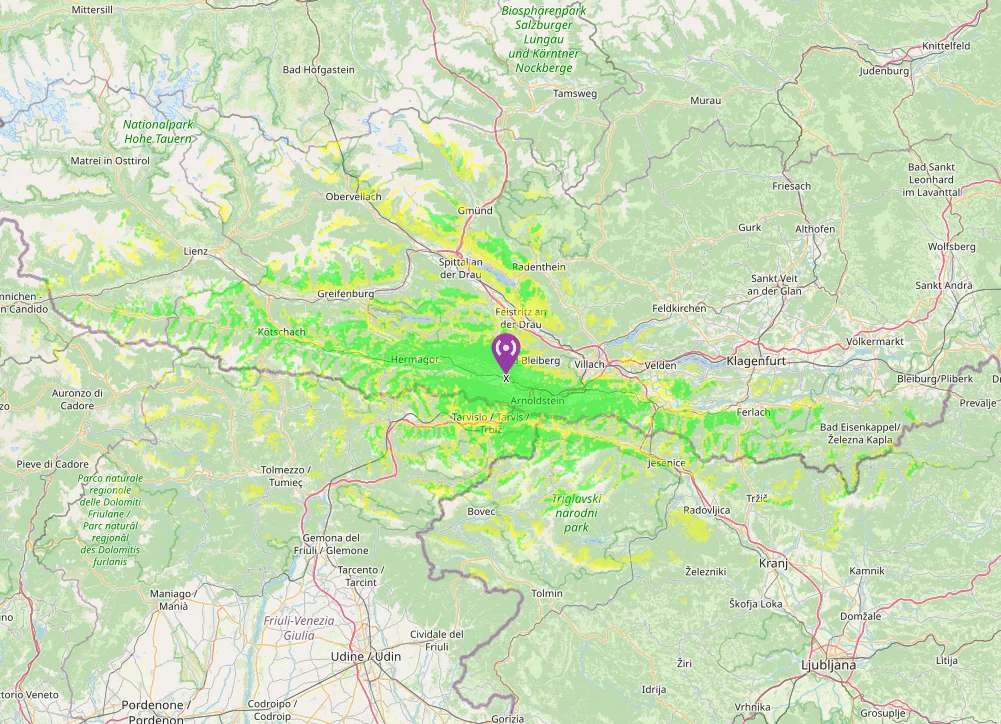
Planning radio coverage made easy – with Radio Mobile Online
If you want to know how far your signal really reaches, Radio Mobile Online is a really powerful tool. The tool was developed specifically for radio amateurs and simulates radio wave propagation using terrain data and proven mathematical models.
In this short guide, I will show you step by step how to create your own RF coverage map – without any rocket science 🚀
Step 1: Register for free
Before you get started, you need an account.
- Open the website of Radio Mobile Online
- Register with your name or callsign and an email address
- After registering, you will receive your password by email
You can then log in directly.
Step 2: Create your station location (“New Site”)
Now you decide where your transmitter should be located.
- Log in
After logging in, you will see a menu on the left with several options. - Create a new location
Select “New Site”. - Set location
A world map opens. You have two options:- Move pin: Drag the red marker to the desired position – the satellite view helps with orientation.
- Enter coordinates: If you know exactly, you can also enter latitude and longitude directly.
- Save
Click on “Submit” and your location is created.
Step 3: Calculate coverage (“New Coverage”)
Now comes the exciting part: the actual radio coverage.
- Create new coverage
Select “New Coverage” in the menu. - Enter parameters
Don’t worry – it sounds worse than it is. The most important fields:- Centre Site: Select your previously created location
- Antenna Height: Height of your antenna above ground (in meters)
- Antenna Type:
- Omni for omnidirectional spotlights
- Directional antenna, if applicable
- Antenna Azimuth: Only relevant for directional antennas (0° = north)
- Antenna Tilt: Usually 0° when the antenna is mounted horizontally
- Antenna Gain: Antenna gain in dBi
(Tip: dBd + 2.15 = dBi) - Mobile Antenna Height / Gain: Height and gain of the other station
- Frequency: Frequency in MHz (possible from 10 MHz to 250 GHz)
- TX Power: Transmission power in watts
- TX Line Loss: Losses in the antenna cable
- RX Line Loss: Losses on the receiving side
- RX Threshold: Minimum signal strength that is still displayed
- Required Reliability: Higher = more conservative, but more realistic
- Maximum Range: Radius of the calculation in kilometers
- Start calculation
Click on “Compute Coverage”.
Depending on the area and level of detail, this takes a few minutes – sometimes a little longer. Patience is worth it 😉 - Save map
When the map is ready, you can save it with “Add to my coverages”.
Important note ⚠️
Radio Mobile Online does not take buildings into account.
Especially in cities, the coverage often appears more optimistic than in reality. However, the model is very suitable for terrain, hills and open areas.
Conclusion
With Radio Mobile Online you can easily create realistic radio coverage maps – perfect for:
- Site planning
- Portable or field operation
- Relay or antenna projects
- “What if” experiments at the desk
A real must-have tool for every radio amateur who wants to better understand his setup 📡
