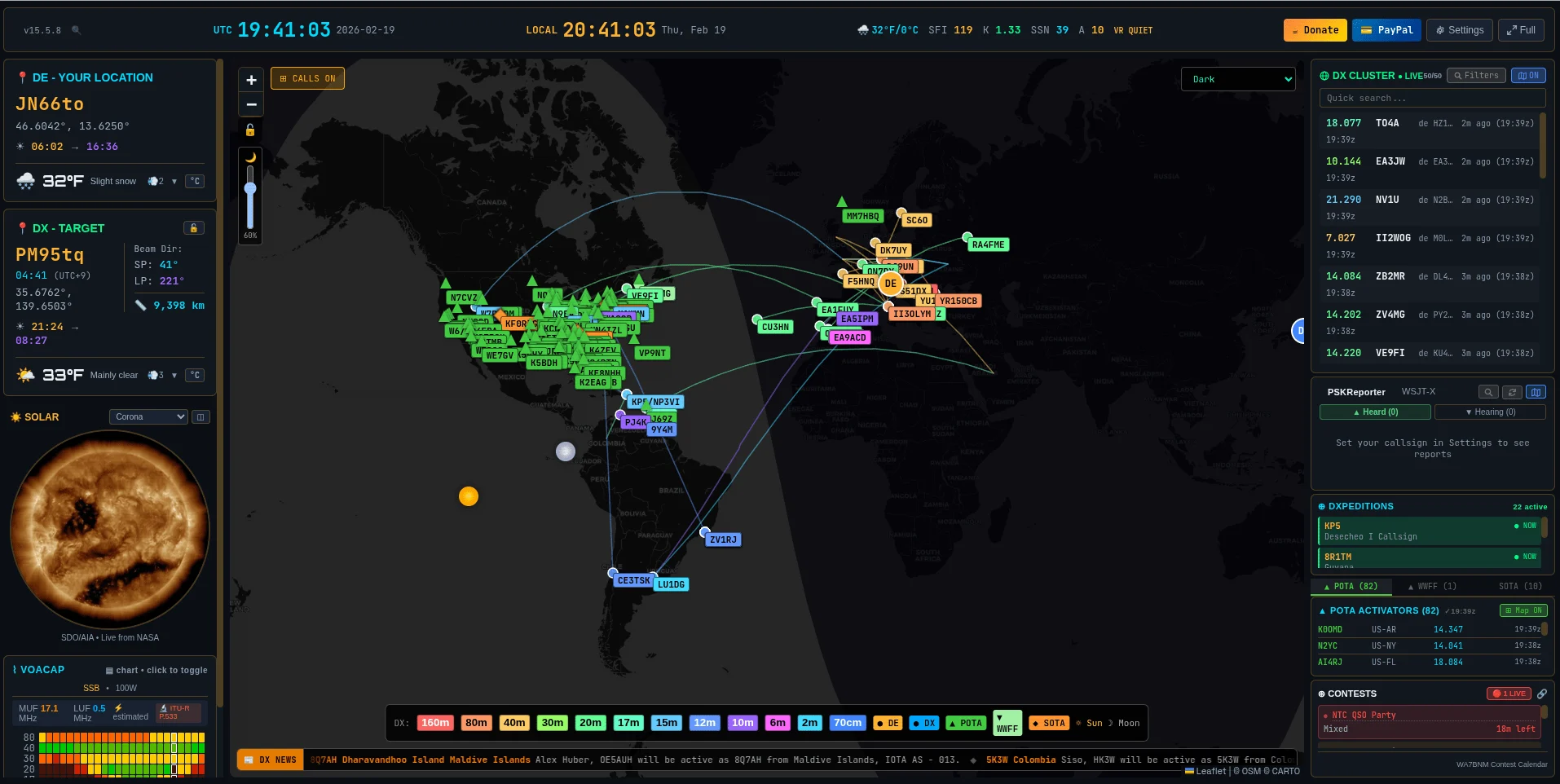
With OpenHamClock, there’s a modern, open-source tool that provides radio amateurs with a wealth of information at a glance – right in the browser. The project combines a world map, DX cluster, propagation data, satellite tracking, and much more in a single interface.
What is OpenHamClock?
OpenHamClock is a web-based amateur radio clock, inspired by the legendary HamClock by Elwood Downey (WB0OEW, SK). The project runs as a Node.js application with a React frontend and Express backend. It can be run locally on a Raspberry Pi, as a Docker container on a server, or in the cloud.
Features
- World map with greyline, sun position, and shortwave path display
- DX Cluster with real-time spots (RBN, PSK Reporter, DX Spider)
- Space Weather – sunspots, K-index, band conditions at a glance
- Satellite tracking for amateur radio satellites
- POTA & SOTA Spots – parks and summits directly on the map
- WSJT-X Integration – display FT8/FT4 spots live
- Contest logger integration (N1MM, N3FJP)
- Rotor control via PSTRotator
- Dark/Light/Retro Themes and freely configurable layouts
Try it yourself
We run a public instance that anyone can use freely:
👉 https://openhamclock.oeradio.at
The instance runs with the callsign OE8YML and locator JN66to – just open it and explore the features.
Set up your own instance
The easiest method is Docker. All you need is a server with Docker and a few minutes.
1. Clone the repository
git clone https://github.com/accius/openhamclock.git
cd openhamclock
2. Adjust configuration
Copy .env.example to .env and fill in the key values:
CALLSIGN=YOURCALL
LOCATOR=JN66to
PORT=3000
HOST=0.0.0.0
UNITS=metric
TIME_FORMAT=24
THEME=dark
3. Start
docker compose up -d --buildAfter that, OpenHamClock is available at http://localhost:3000. Done!
Links
- 💻 GitHub: github.com/accius/openhamclock (MIT License)
- 🌐 Live Demo: openhamclock.oeradio.at
73 de OE8YML